You did not start a dog-walking business to do paperwork.
But it is a business, with clients, prices, invoices, tax and — sooner or later — someone else working for you. This is the part of CorePaw Pro that handles all of that, so the walking can stay the job.
- Your services and prices, applied automatically to every job
- Sequential invoicing with VAT, and a record of who has paid
- Cancellation fees collected instead of written off
- Records that hold up: attributed, dated, and not rewritable
Full access for 30 days · No card · Unlimited clients and pets
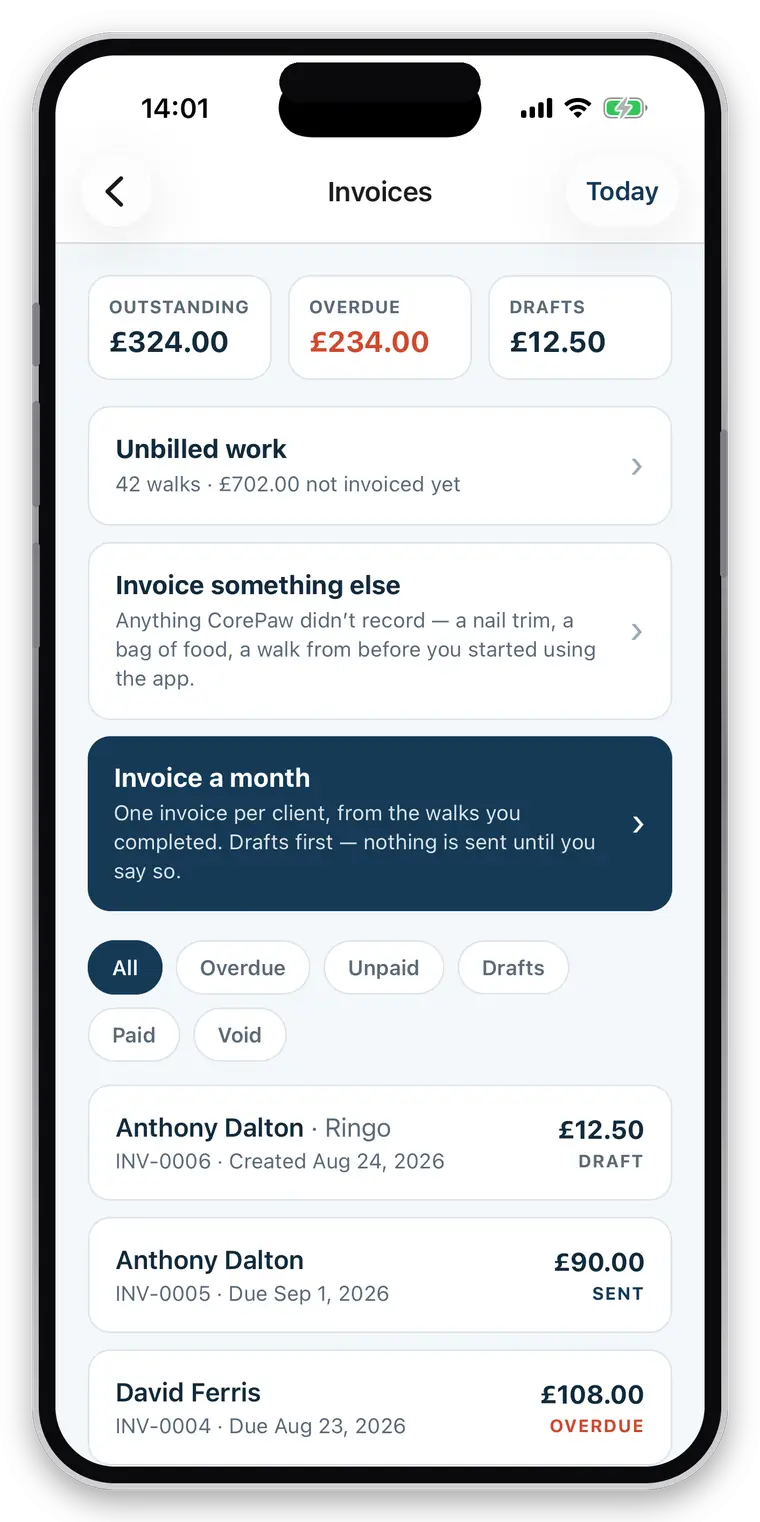
The admin grows faster than the round.
Eight clients is a notebook. Twenty is a spreadsheet and a long evening once a month. Forty is a part-time job you are doing for nothing, on top of a full-time one you are doing outdoors. Most walkers hit a ceiling that has nothing to do with how many dogs they can walk, and everything to do with how much admin one person can absorb after a nine-hour day.
Month end is the bottleneck
And it is the bit that directly decides whether you get paid on time.
You cannot see the business
Who owes you, what you turned over, which work never got billed.
And the boring obligations
Sequential invoice numbers, VAT if you cross the threshold, records if anyone asks.
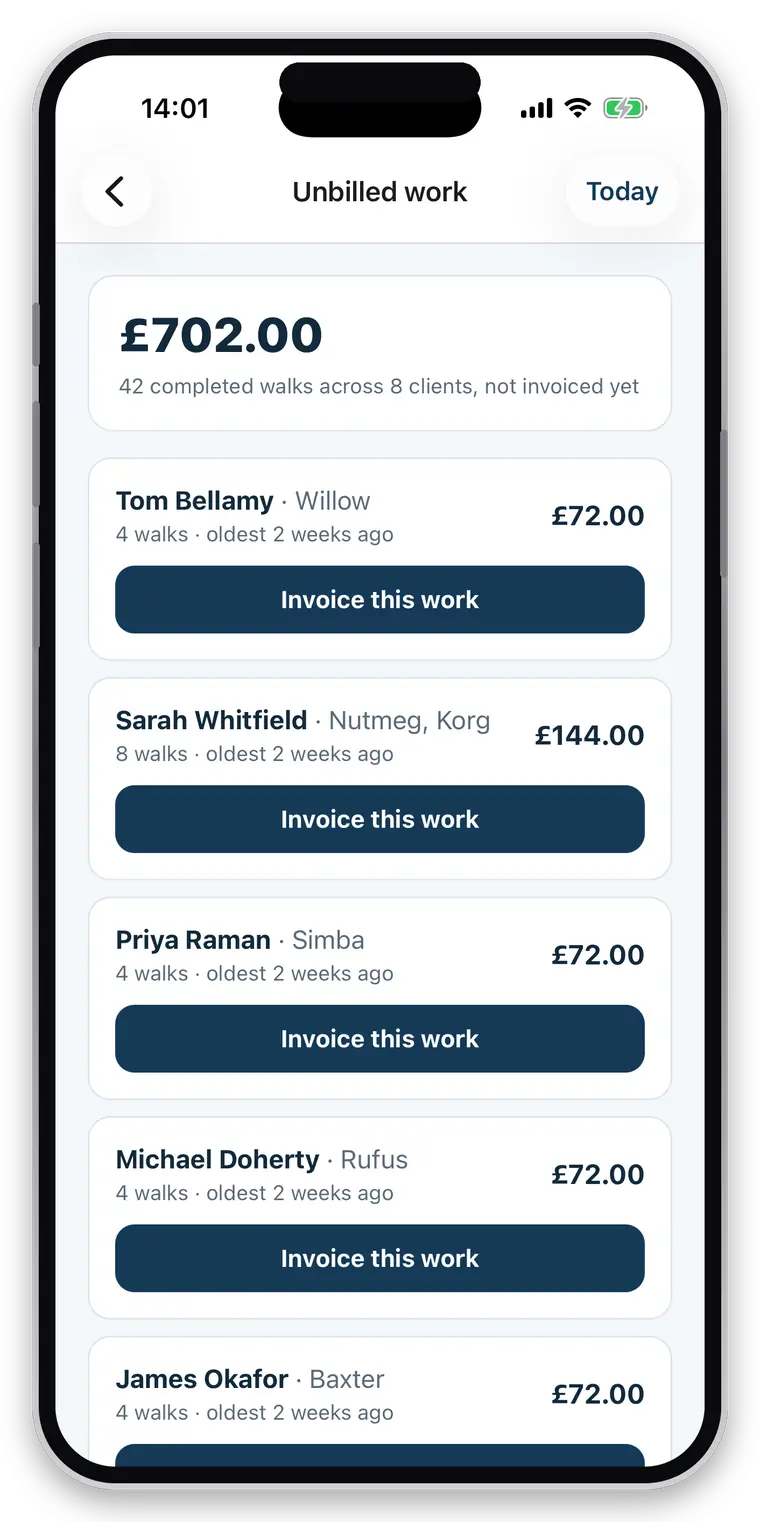
What you charge, applied without you thinking about it.
- Your own service list — 30 minutes, an hour, a group walk, a solo walk, a visit
- Prices carried onto every booking, including recurring ones
- Completed work priced and waiting on the unbilled screen
- One bulk run at month end across the whole book
- Manual invoices for anything the app never saw
- Outstanding, overdue and paid, with the date and method of every payment
- Optional reminders that stop after three
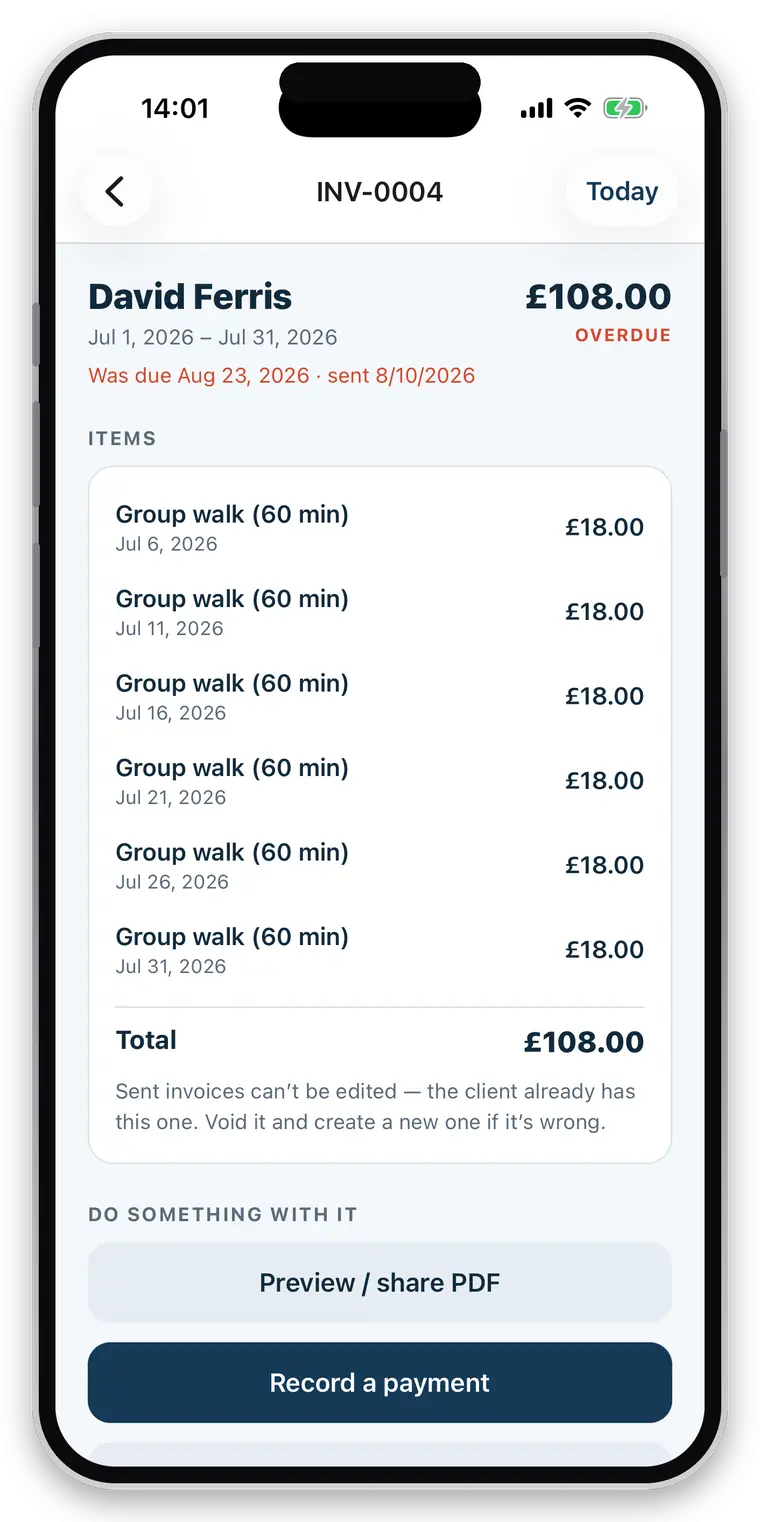
The dull things that matter when someone asks.
None of this is exciting and all of it is the difference between a business and a hobby with a spreadsheet.
- Sequential invoice numbering with no gaps, issued centrally
- Your existing sequence continued rather than restarted
- VAT number and rate applied and shown, where you are registered
- UTR and payment terms on the document
- A record of every job: when, how long, who did it, what was logged
- Records you add to rather than rewrite — entries are attributed and dated
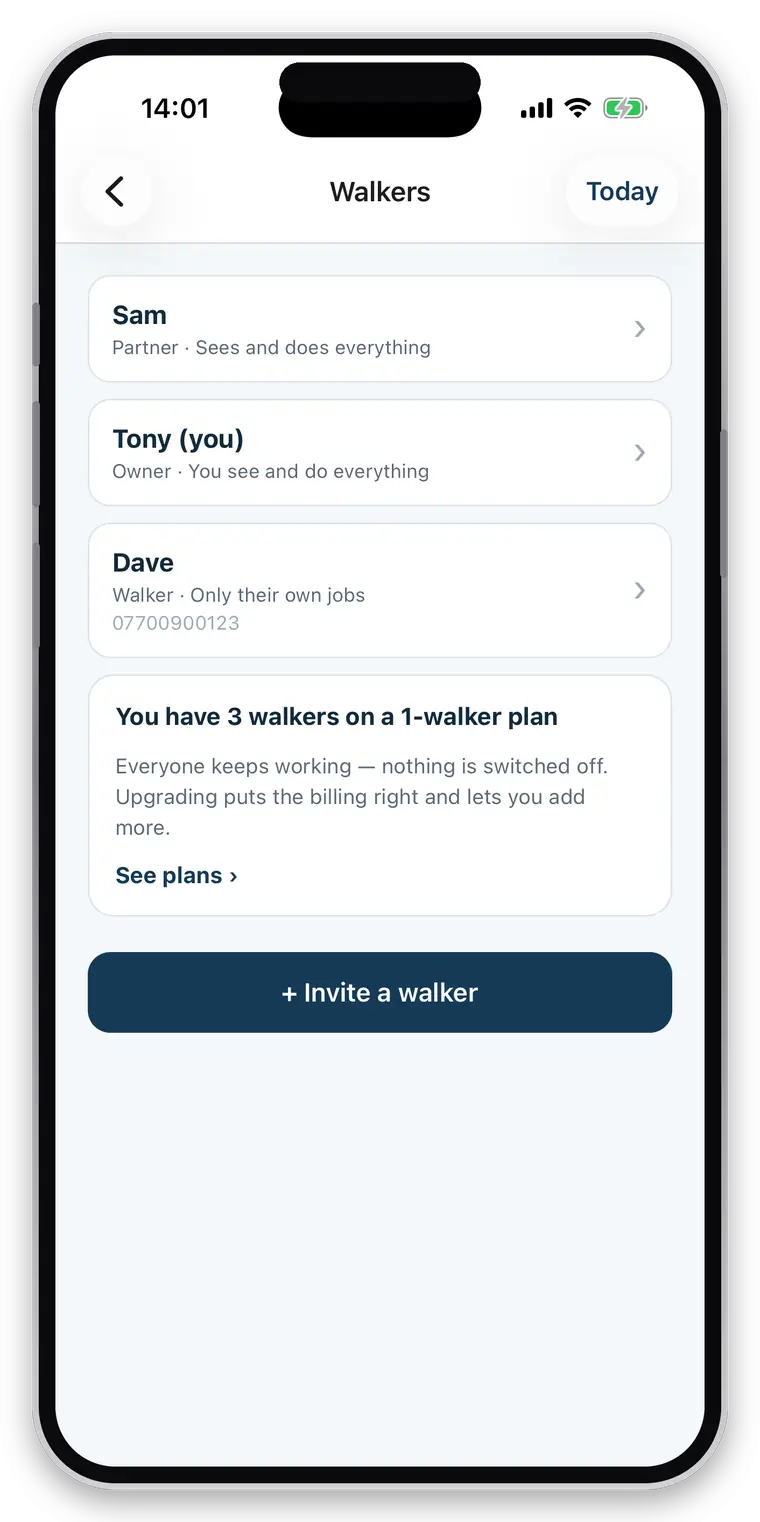
When it stops being just you.
- A partner with full access, or an employee with only what you grant
- Jobs assigned to a person, visible to them and not to everyone
- Prices and invoices kept private if you want them private
- Every walk recording who performed it
- And a client relationship that ends cleanly when it ends
Straight about what it does not do
Not an accounting package: no expenses, no mileage, no profit and loss, no VAT return, and no Xero or QuickBooks export. Not a payroll system either. It produces the invoices and the records; your accountant does the rest, and you can hand them the invoices.
Questions walkers and sitters actually ask
Are invoice numbers sequential?
Yes, with your own prefix, issued centrally so two devices invoicing at the same moment cannot produce the same number or skip one. An empty invoice can never take a number, and a numbered invoice cannot be emptied afterwards.
Does it support VAT?
Yes. Set your VAT number and rate and it is applied and shown on the invoice; leave them blank and nothing about VAT appears. Your UTR, business address, logo, payment terms and invoice footer work the same way — shown when filled in.
Can I record cash and bank-transfer payments?
Yes. Mark an invoice paid by cash, bank transfer, PayPal, card or anything else, with the date. Outstanding, overdue, paid and void are all tracked, so "who hasn't paid me" is one screen rather than an evening.
Can it chase overdue invoices for me?
Yes, if you switch it on — it is off by default. Nothing is sent before the due date, then at most three polite reminders at least a week apart, and then it stops and leaves it to you. Chasing someone nightly is how a walker loses a client and their neighbour.
Can I charge cancellation fees?
Yes. You set a notice period and a fee. A cancellation inside the notice period records the fee against the booking and it appears as billable work on the next invoice alongside the walks — otherwise a cancellation policy is just words on a page. Both defaults are deliberately gentle, so nobody is surprised by a charge you never set.
Does CorePaw take a percentage of what my clients pay me?
No, and it never touches the money. The invoice is a document; your client pays you directly, into your account, by your link. There is no platform cut, no payout schedule and no third party sitting between you and your income.
What happens if my subscription ends?
Your business, clients, bookings, walks and invoices are not deleted. Owners keep every walk and report in CorePaw regardless, because that history is theirs. If you decide to leave entirely, you can delete your account and its data outright.
Get your evening back at month end.
The trial runs 30 days precisely so it reaches a month end. That is the part worth judging.
Full access for 30 days · No card · Unlimited clients and pets