Everything the person covering your round would have to ring you to ask.
The side gate. The emergency contact. The vet. Whether she can go off the lead. Written down once, on a card you can read at the door with one hand.
- Contact details, address and pickup instructions
- Emergency contact and vet, never behind an extra tap
- Recall, off lead, sociability, handling and medication consent
- Health information where the owner has shared it — locked, not blank, where they haven’t
Full access for 30 days · No card · Unlimited clients and pets
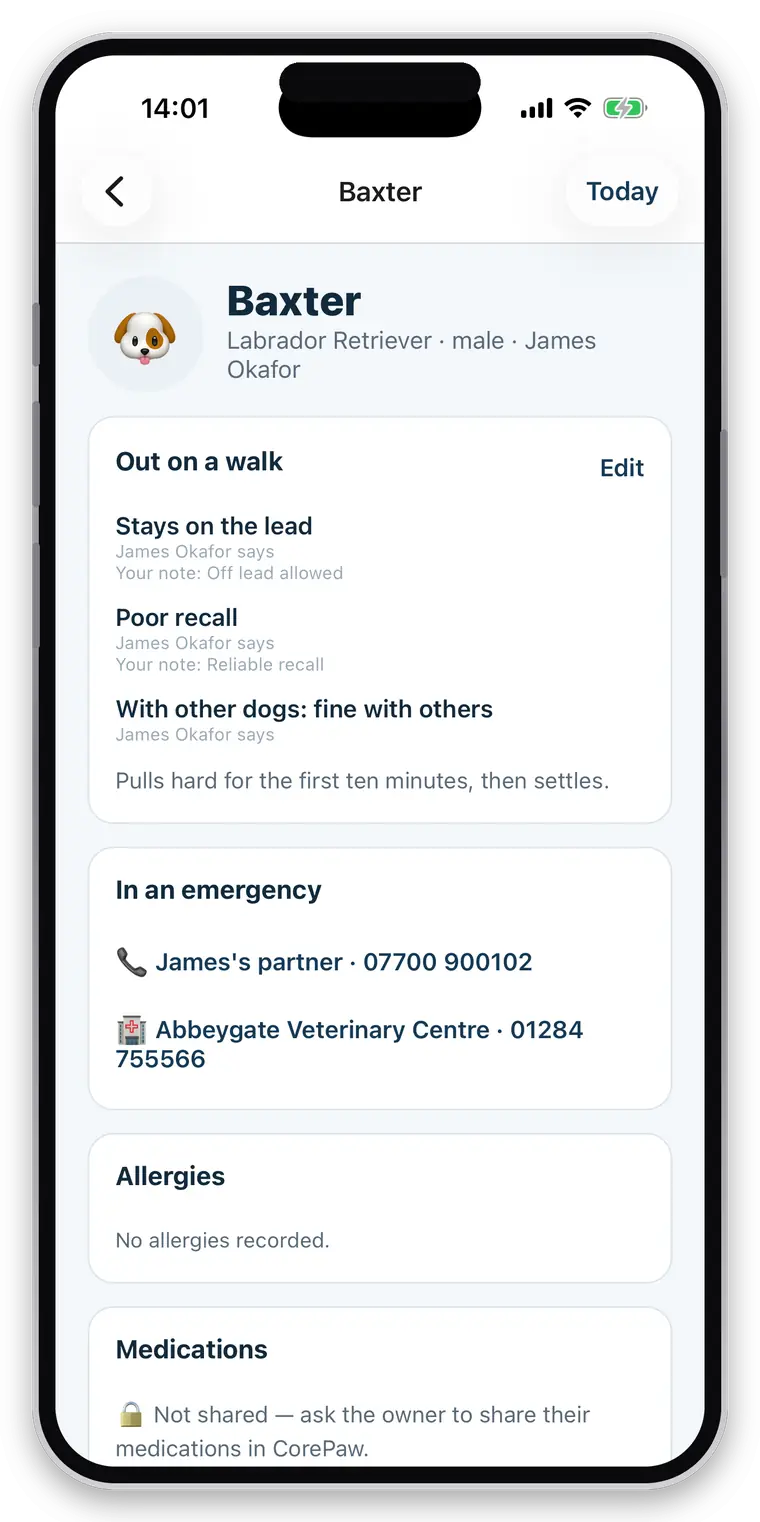
The client record is in your head, and that is fine right up until it isn’t.
You know which house has the dog that bolts. You know the code on the side gate, and that the cat is not to go out before eleven. None of it is written anywhere, which works perfectly — until you are ill, or you take on help, or you take on the fortieth client and the details stop staying separate.
The day you cannot work
Whoever covers has to be briefed by phone, from memory, at speed. That is when things get missed.
The scroll back
The gate instruction exists — in a message thread from eighteen months ago, under two hundred photos.
The dangerous blank
An app that shows an empty allergy list is telling you this dog has no allergies. It might just be that nobody told it.
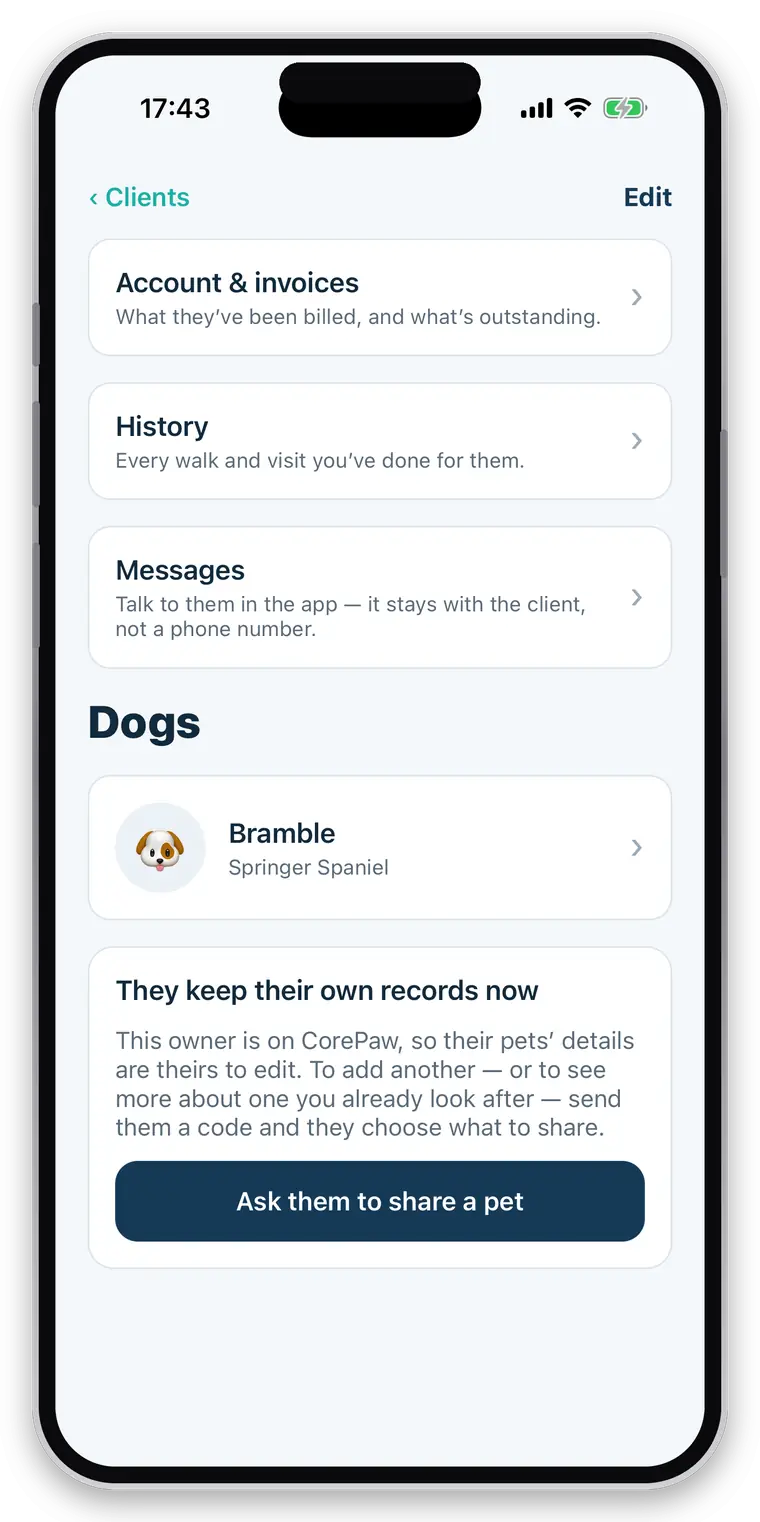
The household, not just a phone number.
A client is a household you deal with, and often that is two people either of whom might answer.
- Name, phone, email and address
- More than one owner where there are two
- Pickup and drop-off instructions in their own field
- Emergency contact name and number
- Vet practice and phone
- Feeding and care instructions for visits
- An access-code hint field — see the honest note below before you use it
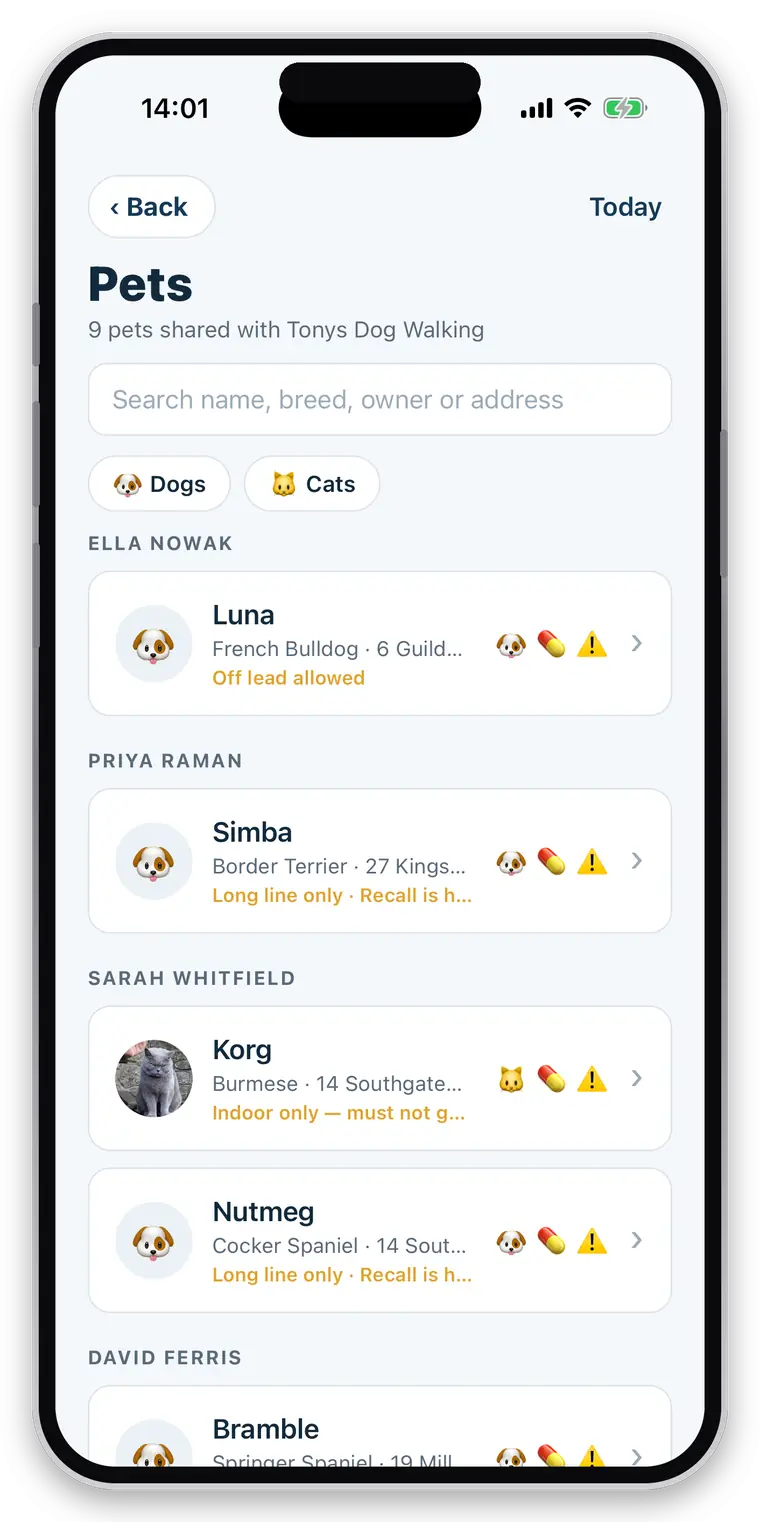
A walker’s view of a dog is deliberately smaller than a vet’s.
You need to keep this animal safe for an hour. That is a different record from a full health history, and the app asks for the things that matter at a gate.
- Photo, breed, age and sex
- Recall — reliable, or not
- Off lead permitted, or not, in the owner’s own words
- How they are with other dogs, or other cats
- Handling notes and anything they are nervous of
- Consent for treats, and consent for medication
- Cat records ask cat questions, and never offer an off-lead button
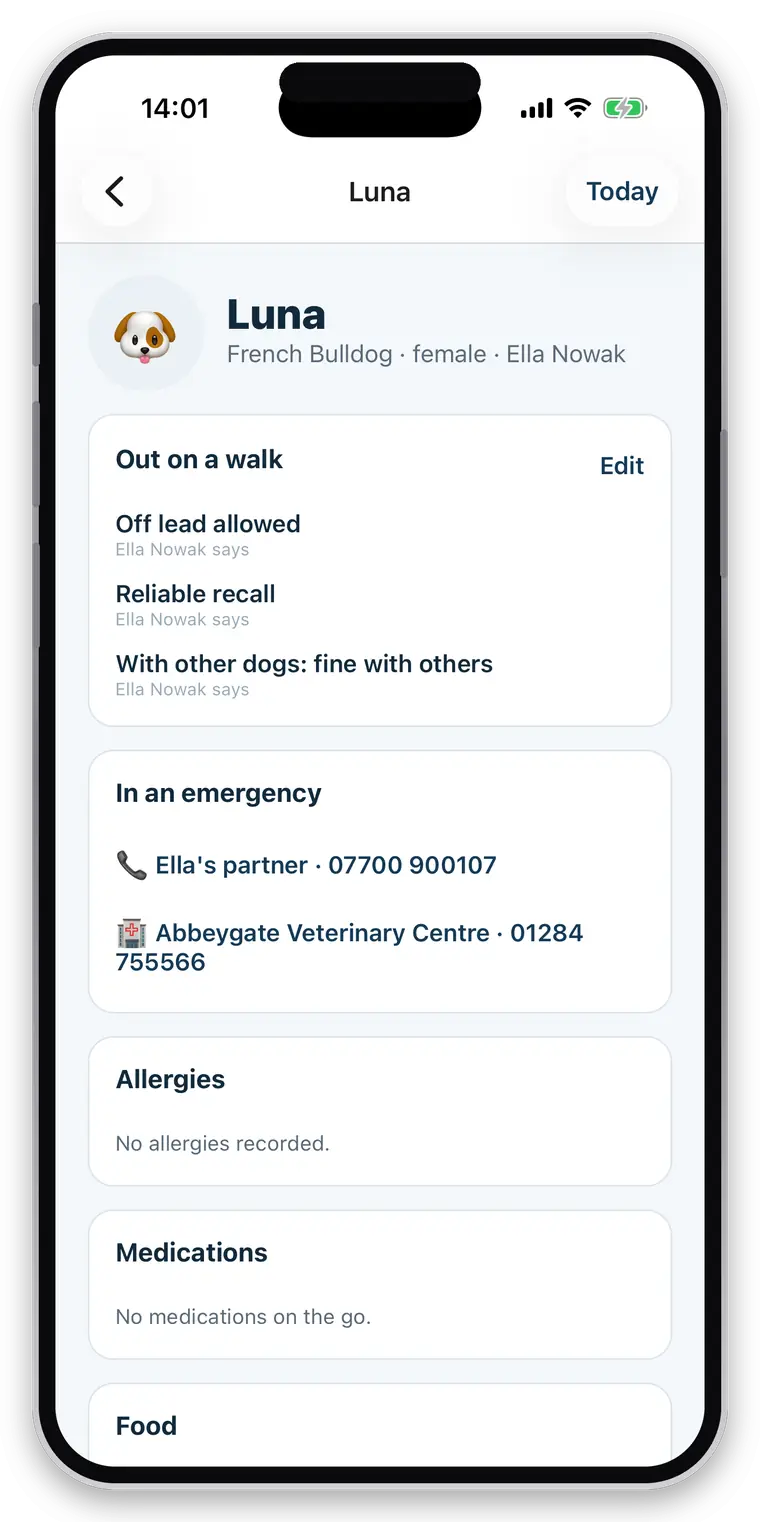
The owner decides what you see. The app tells you which it is.
Health information — allergies, medication, the medical history — belongs to the owner and is granted per pet and per area. What matters is that a record you cannot see never looks like a record with nothing in it.
- Shared: you see it, and it stays in step with what the owner changes
- Shared and genuinely empty: “Nothing recorded” — a real answer from someone who could see
- Not shared: a locked card saying so, and how to ask. Never an empty list.
- Handling and safety notes travel with the animal, so any carer can read them
- A client who leaves takes their private information with them; your invoices stay
Straight about what it does not do
The access-code field is stored as plain text today, protected by the same access rules as the rest of the client record but not encrypted — so use it for a hint rather than the code itself. There is no client tagging or advanced search yet. Clients and pets can be brought in from a spreadsheet — copy the rows, paste them in, and repeated rows for one household are read as one client with several pets — or added by hand.
Related
Questions walkers and sitters actually ask
What care information can I see about a pet?
Whatever the owner has granted, plus everything you record yourself. Handling notes — recall, off lead, sociability, nervousness — sit with the pet and are visible to any carer the owner has shared it with, because they are safety information. Health details such as allergies and medication are separate, and only appear if the owner has shared them.
Can an owner restrict what I see?
Yes, per pet and per area. A household with two dogs can share one and not the other, and can share feeding but not medication. Where something has not been shared, the app shows a locked card saying so — never an empty list. "Not shared" and "nothing to report" must never look the same, because an empty allergy list read as "no allergies" is the most dangerous thing a walking app could show you.
Can owners who already use CorePaw connect their pet?
Yes. An owner shares a specific pet with your business from CorePaw, and once you are connected they can add a second pet to the same relationship without a new code. You can also create a pet record for an owner who has never heard of CorePaw; when they sign up later, that record and its walk history are already waiting for them.
Can I manage dogs and cats?
Yes, and the app changes shape for each. A dog gets the walking questions — recall, off lead, sociability with other dogs. A cat gets the questions that actually matter for a drop-in, and is never asked whether she can be let off the lead.
What happens when a client relationship ends?
Your access to their private information ends with it: the pet profile, contact details, care notes and media all go. You keep your invoices, because they are tax records, and your own totals. The owner keeps every walk, route, photo and report forever in CorePaw — it is their pet's history. Your past invoices and bookings can still name the pet, so your own records do not go anonymous.
Is there a limit on clients or pets?
No. Unlimited clients, unlimited pets, unlimited bookings and unlimited walks on every plan. You pay by how many walkers your business has, never per client or per animal — capping the size of your client book to charge you more would be charging you for growing.
Write down the round you know by heart.
Add one client with the details you would have to explain to someone covering for you. That is the test.
Full access for 30 days · No card · Unlimited clients and pets