The round, in the order you’ll actually do it.
Most of a dog-walking diary repeats. Set the pattern once, let the one-offs and the client requests land where they belong, and open one screen in the morning that already knows what you are doing next.
- One-off and recurring bookings, in day or week view
- Late work lifted to the top — not left in time order
- Group bookings for several dogs on one job
- Assign any job to any walker in your business
Full access for 30 days · No card · Unlimited clients and pets
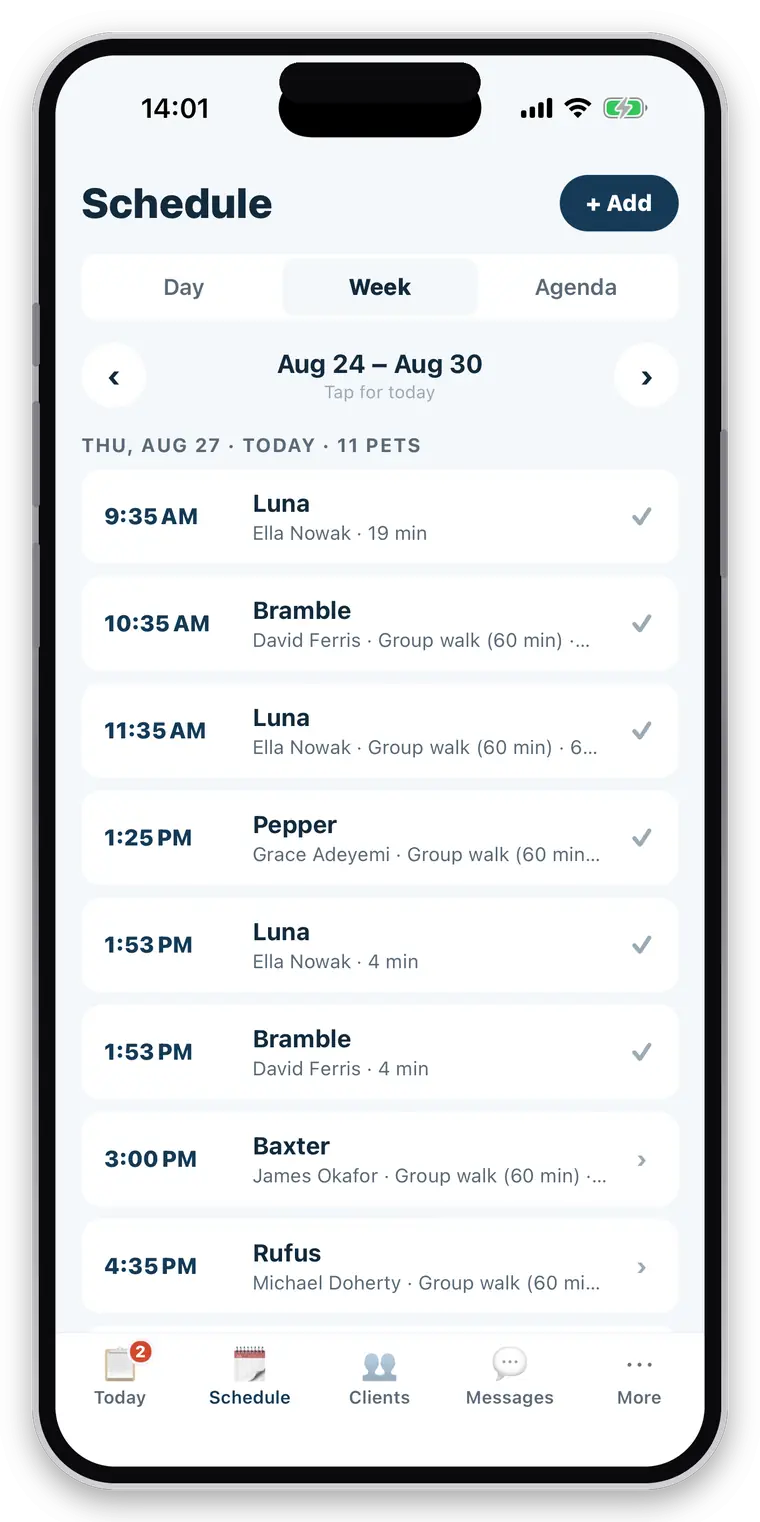
A calendar knows when. It doesn’t know the side gate.
A phone calendar will happily tell you there is something at 09:15. It will not tell you the client’s number, which dogs are on that job, that the gate is round the side, that the walk repeats every Tuesday and Thursday, or that this one is a late cancellation you are entitled to charge for. So the calendar ends up as a reminder to go and look somewhere else — usually a message thread — which is where mornings go.
The repeating half
Most of the book is the same every week. Retyping it, or copying calendar events forward, is work that should have been a setting.
The requests
“Can you do Thursday?” arrives in a message and has to be turned into a diary entry by hand, and remembered until it is.
The cancellations
A slot kept free for a dog that cancels at 8am is a slot you cannot fill. Without it written down, the fee never gets charged.
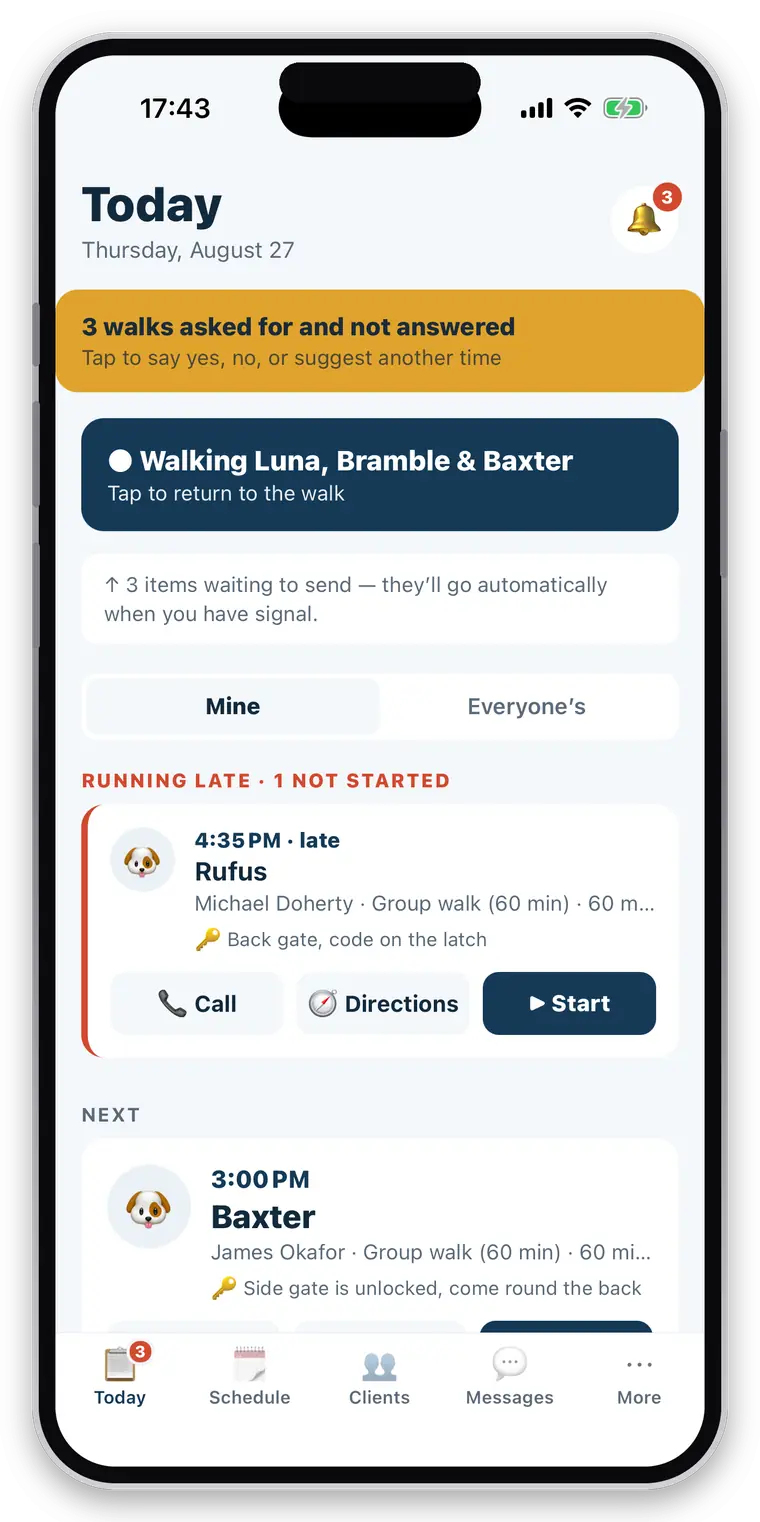
One screen, and it puts the problem first.
Today is not a list in time order. Anything you have not started that should have started is lifted to the top, then the next job, then the rest. It is the order a walker already thinks in.
- Running late, next, later today, done — in that order
- Address and pickup instructions on the card itself
- Call the client or open directions without opening the booking
- Start the job from the same card
- A walk already running stays pinned until you finish it
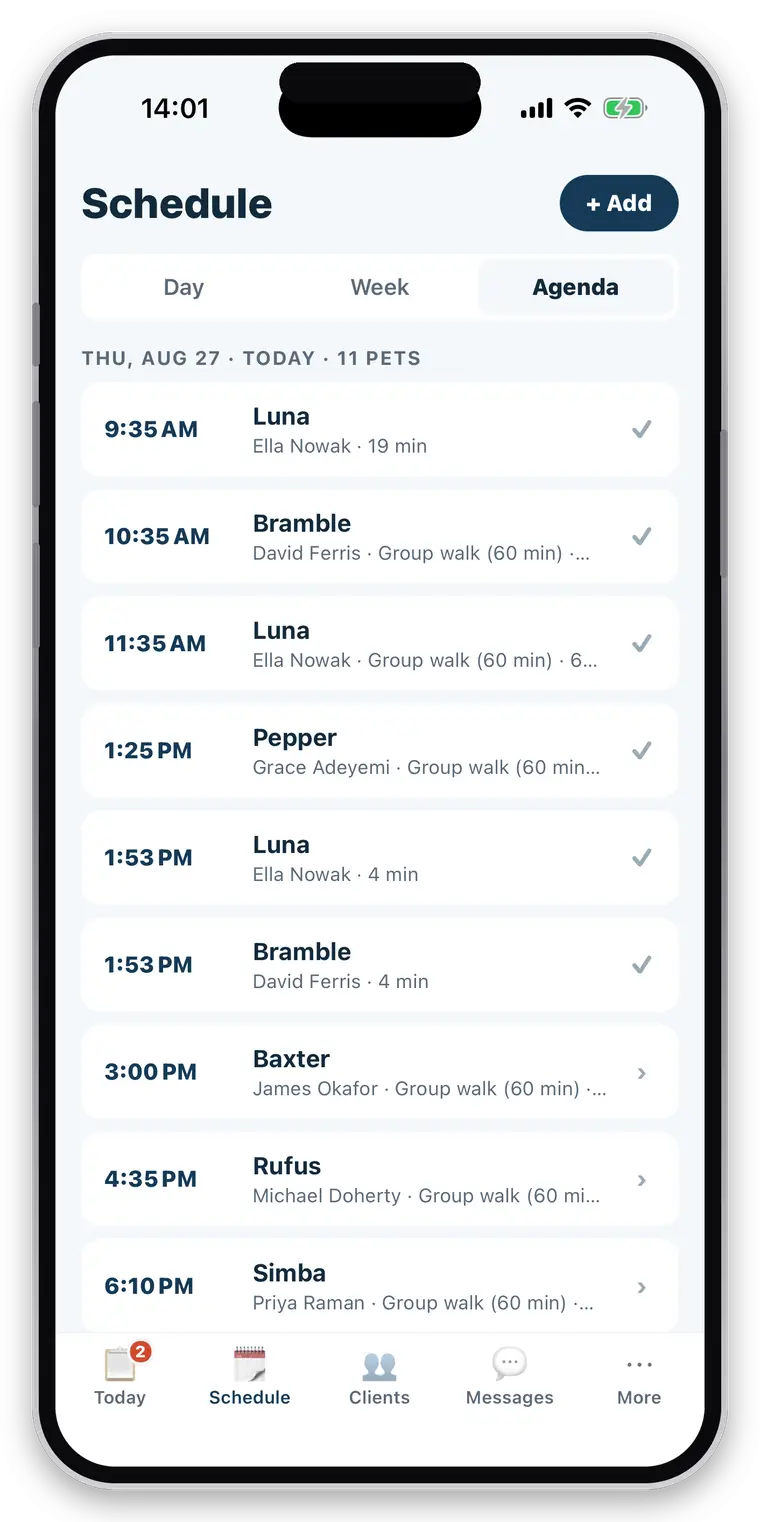
“Bella, every Tuesday and Thursday” is a setting, not a chore.
Set the pattern when you take the client on. It fills the diary forward, and one week can be changed or cancelled without unpicking the rest of the arrangement.
- Recurring bookings that carry the service and the price
- Day and week views, with the week’s job counts at a glance
- One-offs dropped in around the pattern
- Reschedule or cancel a single occurrence
- Priced from your own service list — 30 minutes, an hour, a group walk, a visit
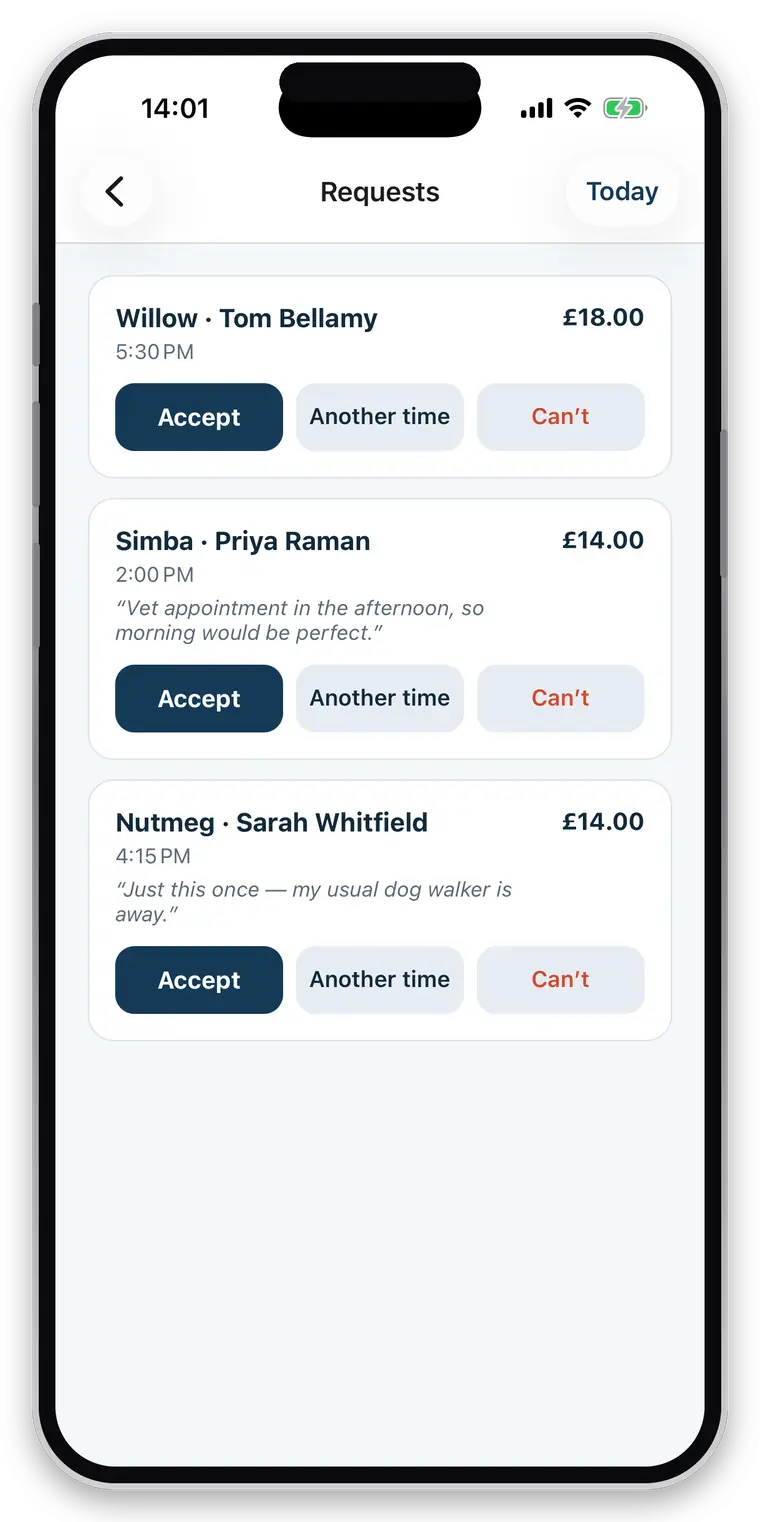
The client asks, you answer, the diary updates itself.
Owners request a job from CorePaw. You get a notification and three buttons. Nothing has to be copied from a message into a calendar, and nothing depends on you remembering.
- Accept, decline, or propose a different time that bounces back to confirm
- Cancellations from either side, with the other side notified
- Your notice period and your cancellation fee, recorded on the booking
- The fee appears as billable work on the next invoice — not as a threat on a policy page
- Overlap warnings showing what else is already out over that slot
Straight about what it does not do
There is no drag-and-drop planner, no route optimisation and no synchronisation with Google or Apple calendars, and no staff availability or holiday management. Those are wanted and not built, and they are not described anywhere on this site as though they were. Booking overlap warnings exist and are warnings only — the app will never refuse to let you book seven dogs at once.
Related
Questions walkers and sitters actually ask
Can bookings repeat?
Yes. Most of a round is "Bella, every Tuesday and Thursday", so recurring bookings are there from the start rather than bolted on. Day and week views show what is coming, and Today lists the round in the order you will do it.
Can clients request bookings?
Yes. An owner requests a job from CorePaw, you get a notification, and you can accept, decline, or propose a different time that bounces back for them to confirm. Either side can cancel.
Can I assign work to staff?
Yes. Any booking can be assigned to a member of your business, and a restricted employee sees only what is assigned to them. Every walk also records who actually did it, so the owner's report can name them and you can answer "who did Tuesday?" from your own data.
Can I charge cancellation fees?
Yes. You set a notice period and a fee. A cancellation inside the notice period records the fee against the booking and it appears as billable work on the next invoice alongside the walks — otherwise a cancellation policy is just words on a page. Both defaults are deliberately gentle, so nobody is surprised by a charge you never set.
Does it warn me about booking conflicts?
Yes, when you create a booking it shows what else is already out over that slot. They are warnings, never blocks — a walker who wants seven dogs out at once is not asking your software's permission.
Can I record a walk that was not scheduled?
Yes. Start one from the pet rather than the schedule and the work is still recorded and still billable — it is flagged as needing a price and waits on the unbilled screen until you set one. It is never quietly billed at zero and never quietly lost.
Put next week in and see.
Add the round you do on Monday, set the ones that repeat, and look at the Today screen on Tuesday morning.
Full access for 30 days · No card · Unlimited clients and pets