Invoice the month’s completed work without rebuilding it from a calendar.
Every walk you finished is already priced and waiting. At month end, run the whole book in one go — numbered, branded, VAT handled, emailed in your name, with your bank details on it.
- Completed work becomes invoice lines automatically
- One bulk run across every client with unbilled work
- Sequential numbering with your own prefix, and no gaps
- CorePaw takes no percentage — your client pays you directly
Full access for 30 days · No card · Unlimited clients and pets
The last evening of the month.
Counting walks out of a calendar. Cross-checking the one you moved and the one that cancelled. Working out whether the cancellation was inside your notice period, deciding it is not worth the argument, and writing it off. Typing each invoice, remembering the numbering, emailing them one at a time, then spending the first week of next month working out who has actually paid.
The month gets rebuilt
From a diary that was never designed to be counted, plus memory.
Some work never gets billed
The walk you did as a favour on Sunday. The one that was not in the diary. Nothing anywhere reports that it was missed.
The numbering wobbles
A spreadsheet column and good intentions, which is not a system a VAT inspection likes.
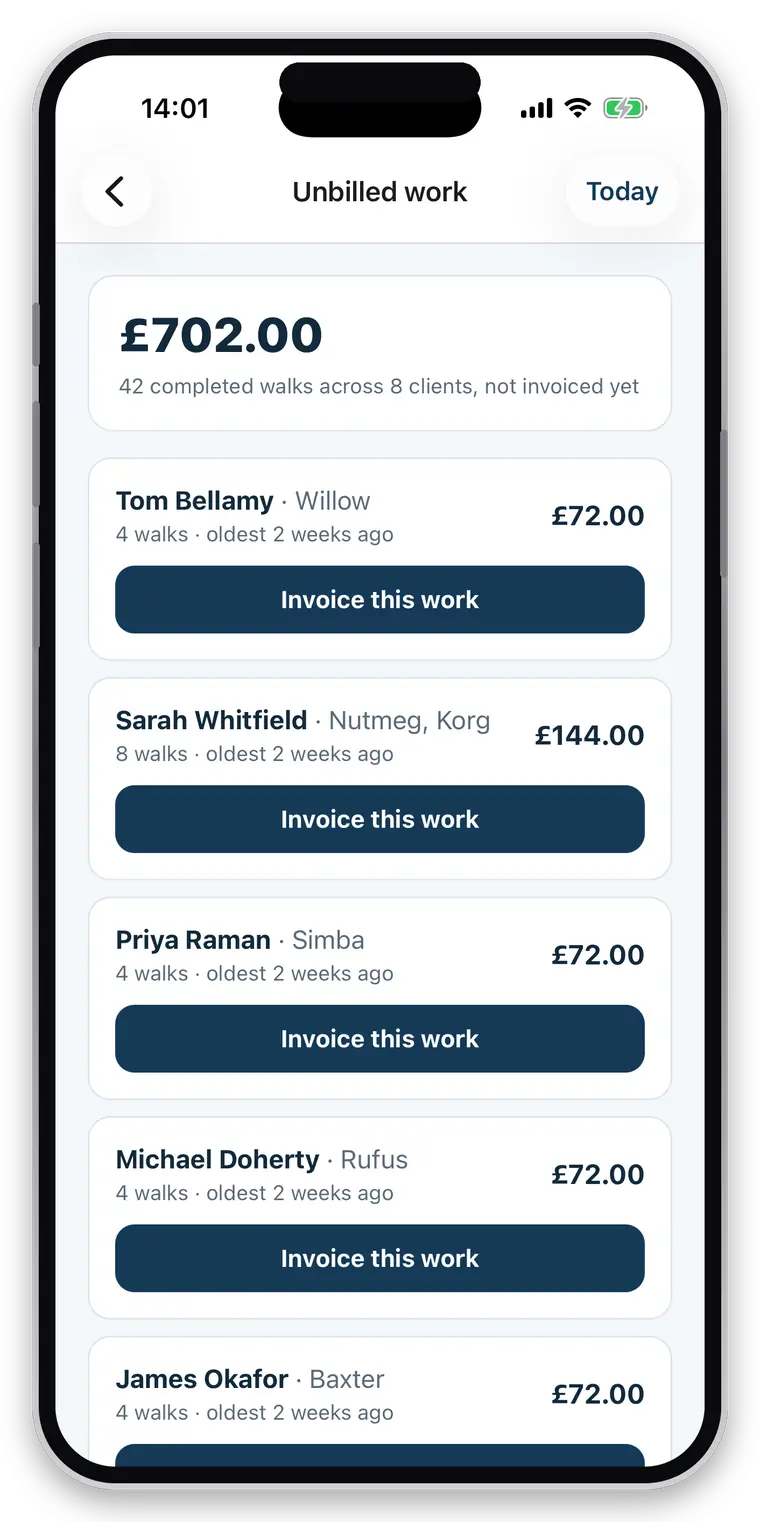
The month is already counted.
Every completed booking carries its service and its price. The unbilled screen is that, grouped by client, with a total — before you have done anything.
- Unbilled work per client, with what it is and what it comes to
- A bulk run: invoice every client with unbilled work at once
- Nothing is emailed by the run. You get drafts to check, and you send each one when you are happy with it
- Or one client, or one period, whenever suits
- Cancellation fees carried through as billable work alongside the walks
- Ad-hoc walks are caught — work recorded outside the schedule is flagged as needing a price and waits for one rather than being billed at nothing or lost
- Manual invoices for work the app never saw: a nail trim, a bag of food, a key-cutting fee
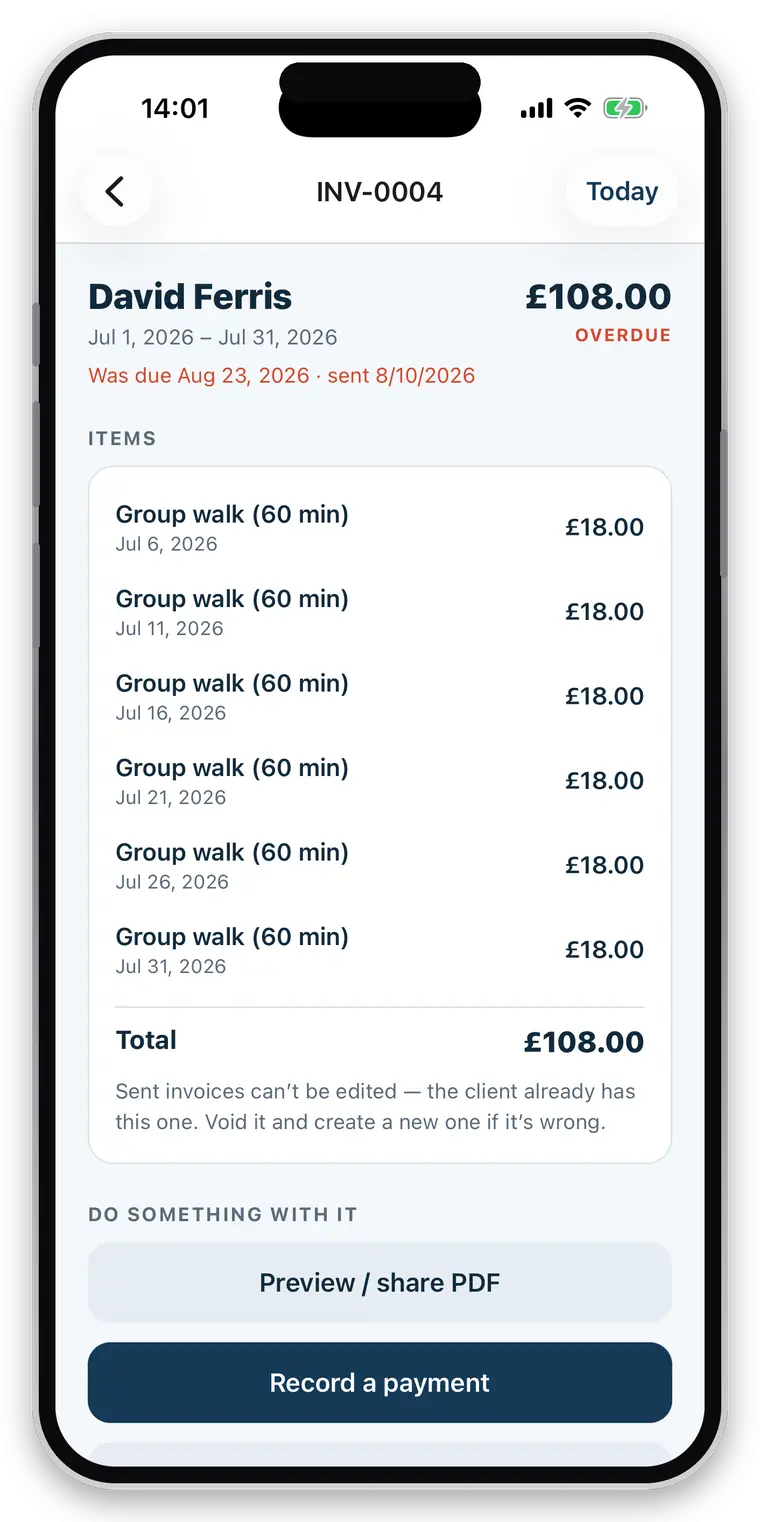
An invoice a VAT-registered business can actually use.
Cheap to get right now and painful to retrofit once invoices are out in the world, so it was got right first.
- Sequential numbering with your prefix, issued centrally — two devices invoicing at once cannot collide or skip
- Continue your existing sequence: set the next number and it carries on rather than restarting
- An empty invoice can never take a number, and a numbered invoice cannot be emptied afterwards
- Your logo, business name, address and invoice footer
- VAT number and rate, applied and shown — or absent entirely if you are not registered
- UTR, payment terms and due date
- Line items per job, with the date, the animal and the price
- 27 supported currencies, stamped on when the invoice is issued so changing yours never rewrites history
- Rendered on your phone, so the client receives exactly the document you previewed
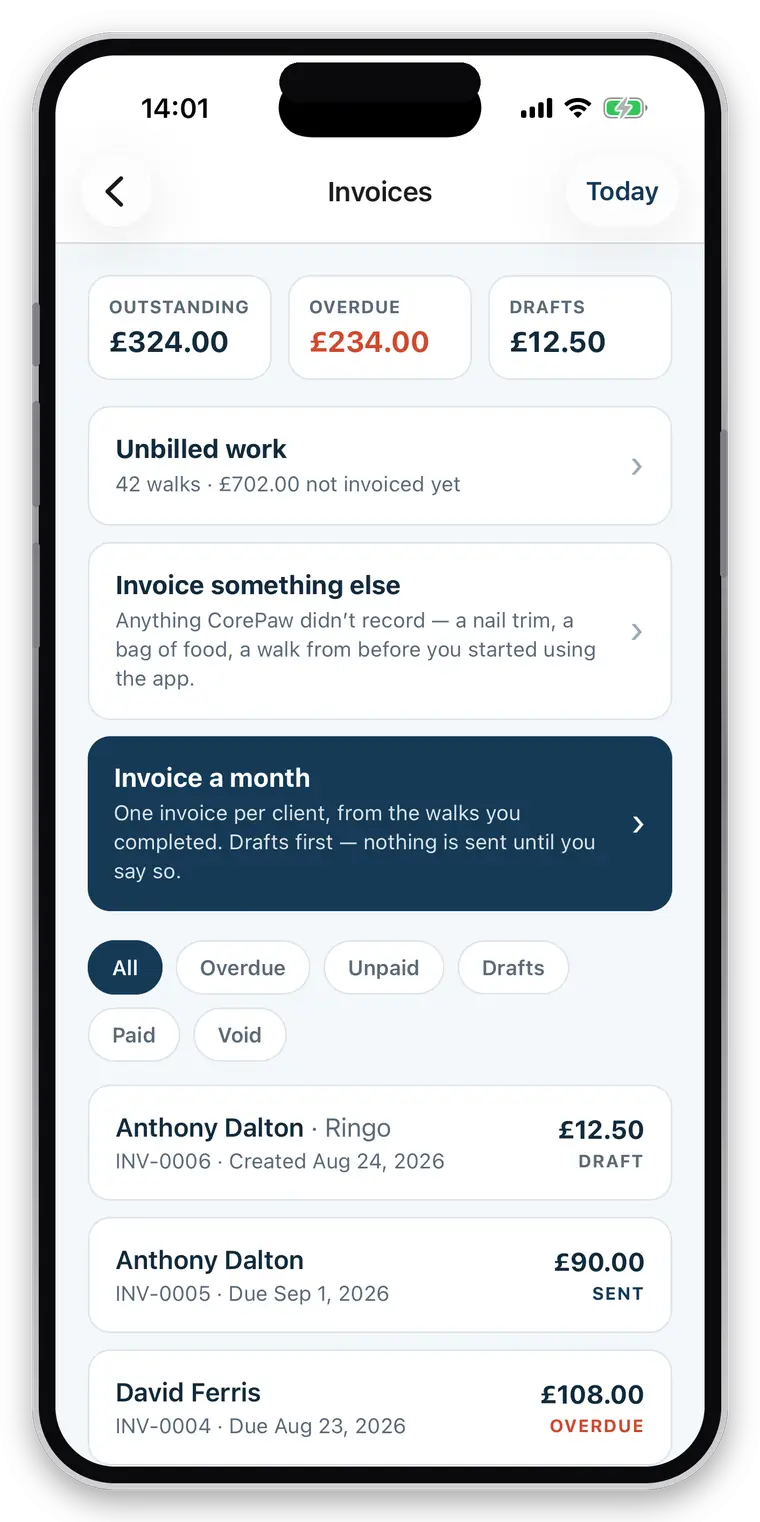
Who hasn’t paid me is one screen.
And the chasing, if you want it, is polite, bounded, and stops.
- Emailed to the client in your name, with your address as reply-to and the PDF attached
- Bank name, account name, sort code and account number on every invoice
- PayPal address or PayPal.Me link, and any payment link you like — typically from your own card provider
- Outstanding, overdue, paid and void, with payment date and method
- Record cash and bank transfer, which is how most of this trade actually works
- Optional reminders, off by default: nothing before the due date, at most three, a week apart, then it stops and it becomes a phone call
Straight about what it does not do
CorePaw does not process payments, so there are no saved client cards, no in-app card checkout and no prepaid packages or credits — and equally no percentage taken and nobody between you and your money. There are no credit notes yet (voiding and reissuing is the current route), no accounting integrations with Xero or QuickBooks, and no expense tracking or profit reports. Creating an invoice needs a connection, because the numbers are issued centrally and must not have gaps.
Related
Questions walkers and sitters actually ask
Can I create monthly invoices?
Yes. At month end, run the whole book at once: every client with unbilled completed work gets an invoice built from that work, with the walks and visits as line items. You are not rebuilding the month from a calendar and a group chat.
Can I invoice work the app never saw?
Yes. A manual invoice covers a nail trim, a bag of food, a key cutting fee or work you did before you installed anything. It still takes a number from the same sequence, so there is no gap left by billing something outside the app.
Are invoice numbers sequential?
Yes, with your own prefix, issued centrally so two devices invoicing at the same moment cannot produce the same number or skip one. An empty invoice can never take a number, and a numbered invoice cannot be emptied afterwards.
Does it support VAT?
Yes. Set your VAT number and rate and it is applied and shown on the invoice; leave them blank and nothing about VAT appears. Your UTR, business address, logo, payment terms and invoice footer work the same way — shown when filled in.
Which currencies are supported?
Twenty-seven, including sterling, euro, US and Canadian dollars, Australian and New Zealand dollars, Swiss francs and the Nordic and Central European currencies. The currency is stamped onto each invoice when it is issued, so changing yours later never rewrites what a past invoice claims to have charged.
Can I put my bank details or a payment link on invoices?
Yes — bank name, account name, sort code and account number, a PayPal address or PayPal.Me link, and any payment URL you like, typically a payment link from your own card provider. They print on every invoice.
Does CorePaw take a percentage of what my clients pay me?
No, and it never touches the money. The invoice is a document; your client pays you directly, into your account, by your link. There is no platform cut, no payout schedule and no third party sitting between you and your income.
Can I record cash and bank-transfer payments?
Yes. Mark an invoice paid by cash, bank transfer, PayPal, card or anything else, with the date. Outstanding, overdue, paid and void are all tracked, so "who hasn't paid me" is one screen rather than an evening.
Can it chase overdue invoices for me?
Yes, if you switch it on — it is off by default. Nothing is sent before the due date, then at most three polite reminders at least a week apart, and then it stops and leaves it to you. Chasing someone nightly is how a walker loses a client and their neighbour.
Judge it at month end.
That is why the trial is 30 days rather than fourteen — a shorter one ends before the part that saves you an evening.
Full access for 30 days · No card · Unlimited clients and pets