Bring people in without giving away the business.
The first hire is the moment everything informal has to become explicit: what they can see, what they must know, and how you find out whether the round went well. This is the part of CorePaw Pro that makes that survivable.
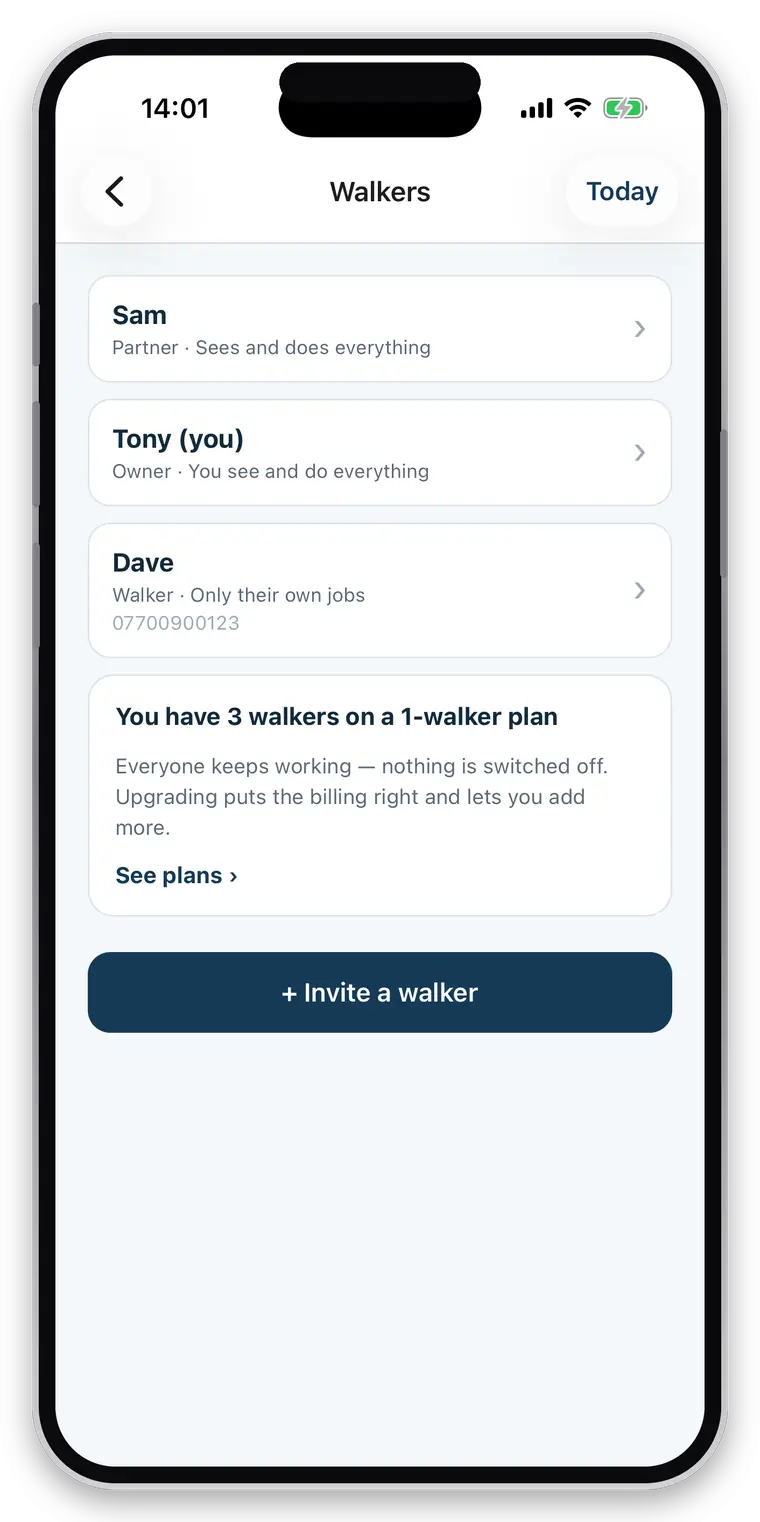
- Staff accounts that see only the jobs you assign
- Prices, invoices and colleagues’ clients kept out of reach
- The same report quality whoever did the walk
- Every job attributed to the person who performed it
Full access for 30 days · No card · Unlimited clients and pets
Growing means your standards have to leave your head.
While it was you, the quality was you: you knew every gate, every dog, every client’s worry. The moment someone else does the round, that knowledge has to be written down, reachable at a doorstep, and consistent — and you have to be able to see what actually happened without following them around.
Nothing is written down
Because it never had to be. Briefings by phone do not scale past one dog.
All or nothing access
Most tools give a new person your whole client list or nothing usable.
And no visibility
Did the report go? Was the walk the length it should have been? Who was there?
Their own login, and only what you grant.
- A restricted employee sees the jobs assigned to them, and the clients those jobs belong to
- Not your other clients, their addresses, or your colleagues
- Money is its own permission — prices and invoices can stay entirely yours
- Separate permissions for viewing clients, editing them, and editing the schedule
- Enforced in the database on every read and write, not by hiding buttons
- Access ends when they leave; the work they recorded stays attributed to them
The client should not be able to tell who did the walk.
Except by the name on the report. The reason to standardise the record is that it standardises the service — the same information collected, the same report sent, whoever is holding the lead.
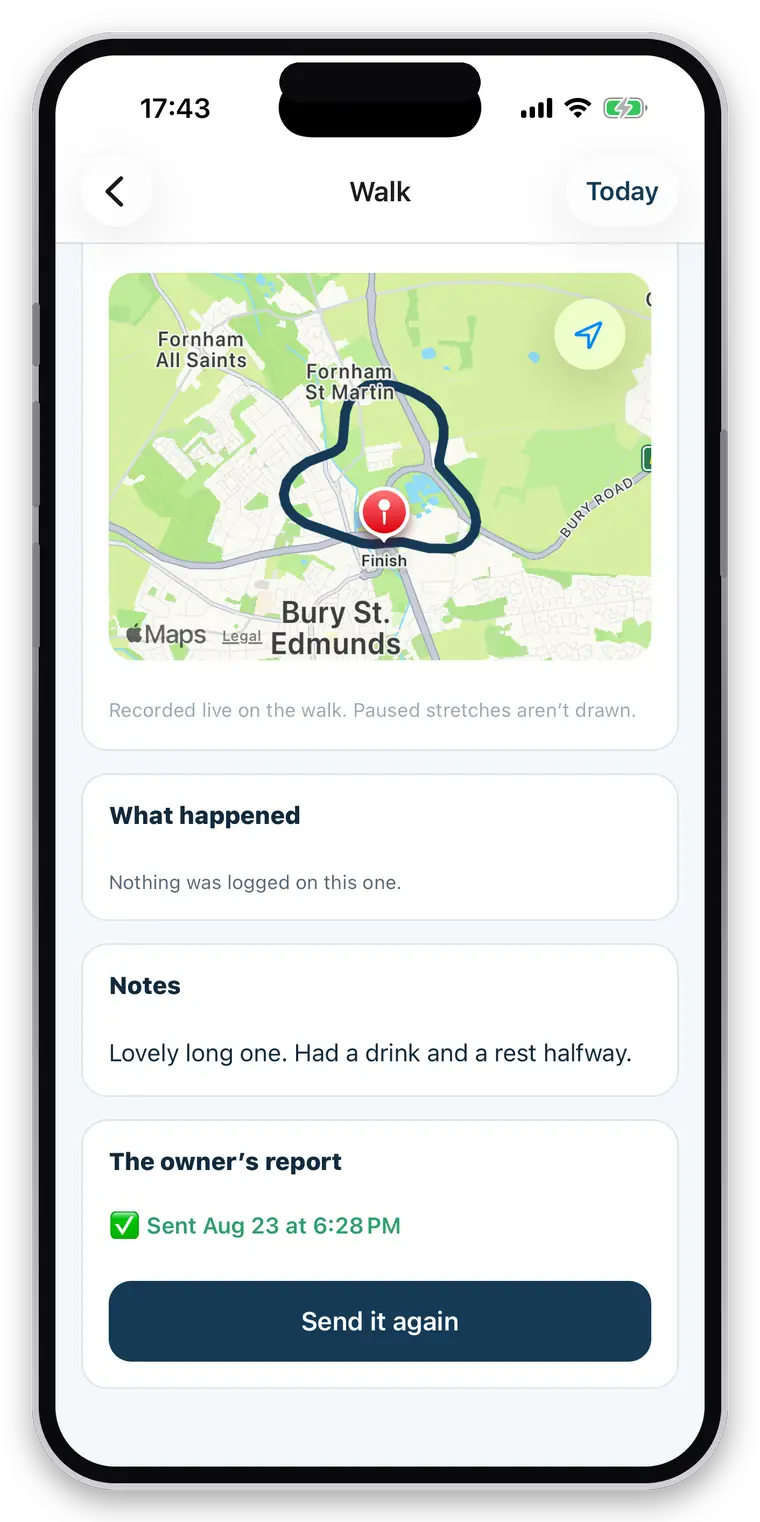
- The same automatic report from every walk and visit
- Care and handling notes on the pet record, readable at the gate
- Emergency contact and vet one tap from the job
- Collected and home-safe notifications regardless of who is working
- Report delivery status, so a failure is caught by you rather than mentioned by a client
- “Dave walked Bella today” — attribution the owner can see
Answering “who did Tuesday?” from your own data.
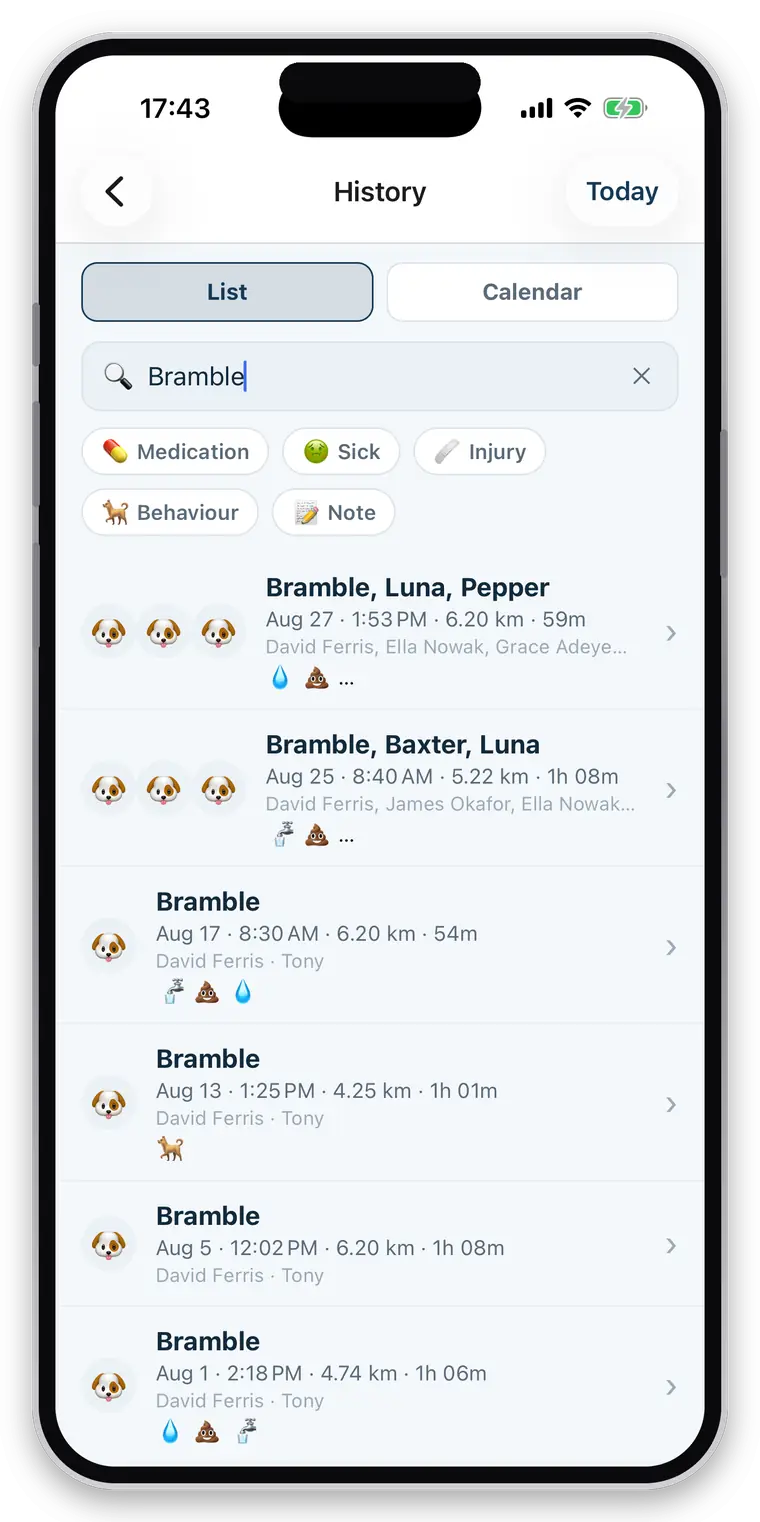
- Every walk, visit and event recording who performed it
- History, with routes, durations and the events logged
- Distance filtered honestly, so a route you are judging is a route worth judging
- The whole business’s unbilled work on one screen
- Bulk invoicing regardless of who did the work
- Owner permissions still capping what any employee can see, whatever you grant
Straight about what it does not do
This is not workforce management. There is no payroll, no timesheets or hours tracking, no availability or holiday planning, no shift scheduling around who is free, and no live map of where your walkers are. There is also no earnings split by person. Assignment, permissions and attribution exist; the rest does not, and is not described anywhere on this site as though it did.
Questions walkers and sitters actually ask
Can a team use it?
Yes. A business can have full-access partners and restricted employees. An employee sees only the jobs assigned to them and only the clients they have a booking for, and can be kept out of invoices and prices entirely. Those limits are enforced in the database, not hidden in the app.
Can I assign work to staff?
Yes. Any booking can be assigned to a member of your business, and a restricted employee sees only what is assigned to them. Every walk also records who actually did it, so the owner's report can name them and you can answer "who did Tuesday?" from your own data.
Can my staff see every client?
Only if you allow it. A restricted employee sees the jobs assigned to them and the clients those jobs belong to. Money, colleagues and everyone else's clients can all be kept out of reach, and the limits are enforced at the database level rather than by hiding buttons.
Where are permissions actually enforced?
In the database, in row-level security, on every read and write — not in the app's screens. That distinction matters: a rule enforced only in the interface is a rule that stops working the moment anything else asks the same question.
Can an owner restrict what I see?
Yes, per pet and per area. A household with two dogs can share one and not the other, and can share feeding but not medication. Where something has not been shared, the app shows a locked card saying so — never an empty list. "Not shared" and "nothing to report" must never look the same, because an empty allergy list read as "no allergies" is the most dangerous thing a walking app could show you.
Is there a limit on clients or pets?
No. Unlimited clients, unlimited pets, unlimited bookings and unlimited walks on every plan. You pay by how many walkers your business has, never per client or per animal — capping the size of your client book to charge you more would be charging you for growing.
Can I change an owner's health records?
No. You add what you did — a dose given, a note, a photo, a walk — as new entries attributed to you. You cannot rewrite or erase the history an owner keeps about their own animal, and neither can anyone else in your business.
Add one employee and look at their screen.
The fastest way to judge a permission model is to log in as the restricted person and see what is missing.
Full access for 30 days · No card · Unlimited clients and pets