Chasing a late-paying client without losing them
You see these people at their front door twice a week, which is exactly why the money conversation gets avoided. A sequence that works, the point at which you stop the service, and why automated reminders should be dull.
By Tony Dalton · Updated
Chasing money is harder in pet care than in most trades, and the reason is proximity. You are not a supplier who invoiced and left. You are at their gate on Tuesday, holding their dog's lead, talking about the weather. Raising an unpaid invoice in that moment feels impossible, so it does not get raised, and by the time it does it is three invoices old and genuinely awkward.
The way out is to make chasing a process rather than a conversation.
Remove the decision
Every time chasing is a fresh decision — do I message her? is it too soon? — the decision gets postponed. A fixed sequence, applied to everybody, removes the judgement:
- Due date passes. A short, neutral reminder a few days later. Not an accusation — invoices genuinely do get missed.
- A week later. A second reminder, slightly firmer, restating the amount, the invoice number and the payment details.
- A week after that. A third, and the last automated one. Say plainly what happens next.
- Then a human conversation. A phone call, not a message. By this point something is going on, and a call finds out what.
Three reminders is enough. Anything that pesters weekly forever teaches clients to ignore your messages, which is the one outcome worse than a late invoice.
Keep the tone administrative
A reminder should read like a bank statement, not like a friend who is upset. No paragraph about how difficult things are, no apology for asking. State the invoice number, the amount, the date it was due, and how to pay. Warm and brief.
The apology is worth singling out. "So sorry to chase!" concedes that asking to be paid for work you did is an imposition. It is not.
Decide your stop point in advance
The hardest question is when to stop walking the dog. Decide the rule before it happens, write it into your terms, and apply it consistently: for instance, service pauses when an invoice is more than thirty days overdue and no arrangement has been made.
"No arrangement" is the important half. A client who says "I've lost my job, can I pay half this month and half next?" has made an arrangement, and that client is usually worth keeping. A client who says nothing at all for a month has told you something different.
When you do pause, say it plainly, in advance, in writing, and without drama: "Tuesday's walk will be the last one until the account is settled — let me know if you'd like to arrange something."
Reduce the need for chasing at all
- Invoice on the same day every month. Predictable invoices get predictable payments.
- Put the payment details and the reference on the invoice. Half of all late payments are friction, not refusal.
- Consider taking payment at the point of work for the clients where that fits. A walk charged when it is finished is a walk that never enters a chasing sequence.
- Watch the pattern, not the incident. One late invoice is life. Four in a row is a business decision waiting to be made.
How CorePaw Pro helps
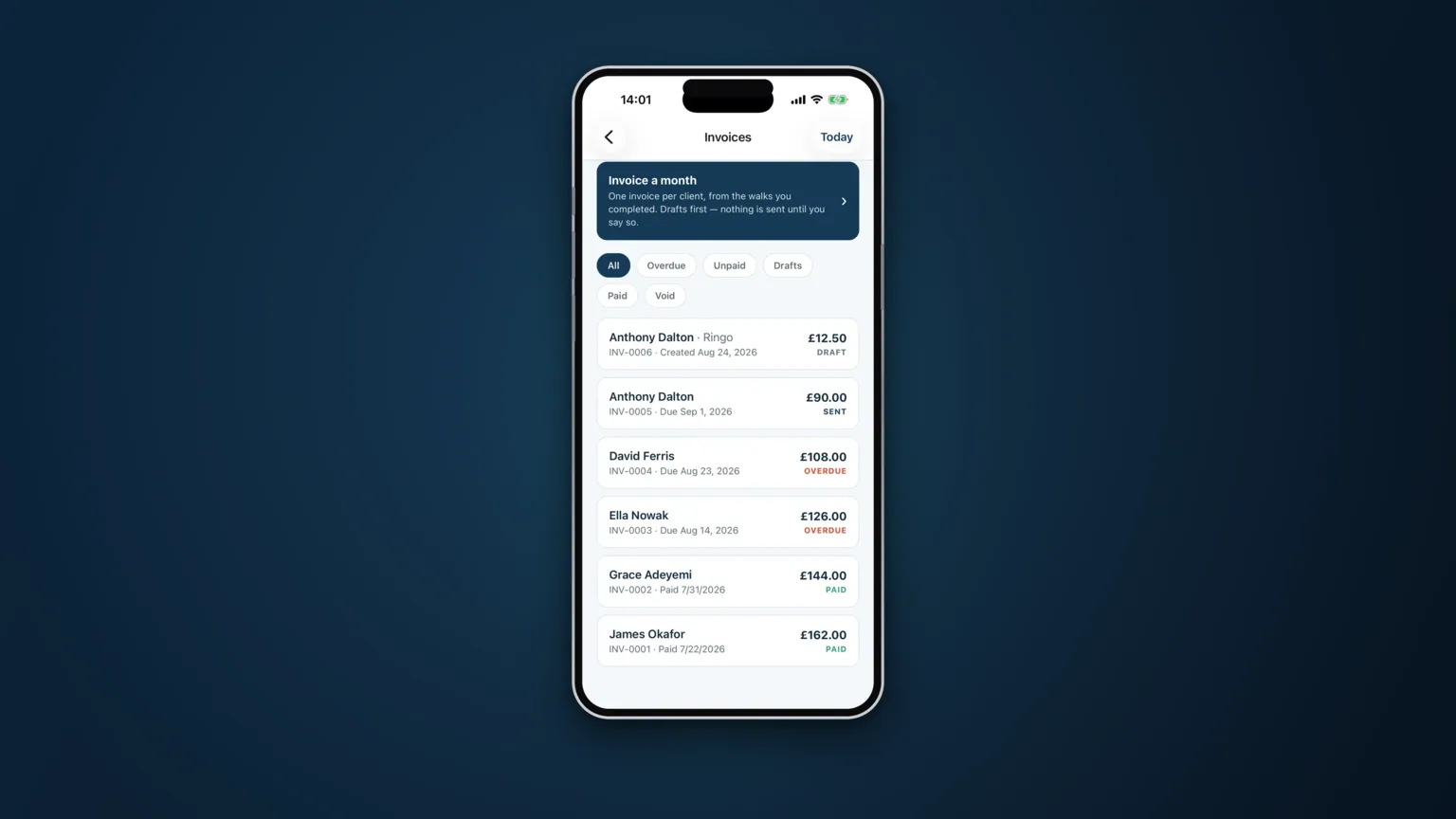
Invoices carry states — outstanding, overdue, paid, void — so the list of who owes you what is a screen rather than a memory. Automated reminders are optional and off by default: never before the due date, at most three, a week apart, then it stops. Payments are recorded however you were actually paid, including cash at the door.
Optionally you can connect your own Stripe account, so clients can save a card and the walk is charged when it is finished rather than chased later. The money lands in your Stripe balance under your business name, Stripe pays you out, and CorePaw takes no percentage — only Stripe's own processing fee applies. A declined card changes nothing: the work stays on your unbilled list and is invoiced at month end exactly as if cards had never been switched on. And if she hands you a note at the door, one tap takes the charge back before it is taken.
Related articles
Run the round, reassure the owner, get paid.
CorePaw Pro puts your schedule, clients, pet-care notes, GPS walks, owner reports and invoicing in one field-ready app — and keeps working when the signal disappears.
Full access for 30 days · No card · Unlimited clients and pets