Your first month end in CorePaw Pro
A walkthrough of the invoice run: what the unbilled list is telling you, what to check before you send, how numbering works, and what happens after the PDF lands in the client’s inbox.
By Tony Dalton · Updated
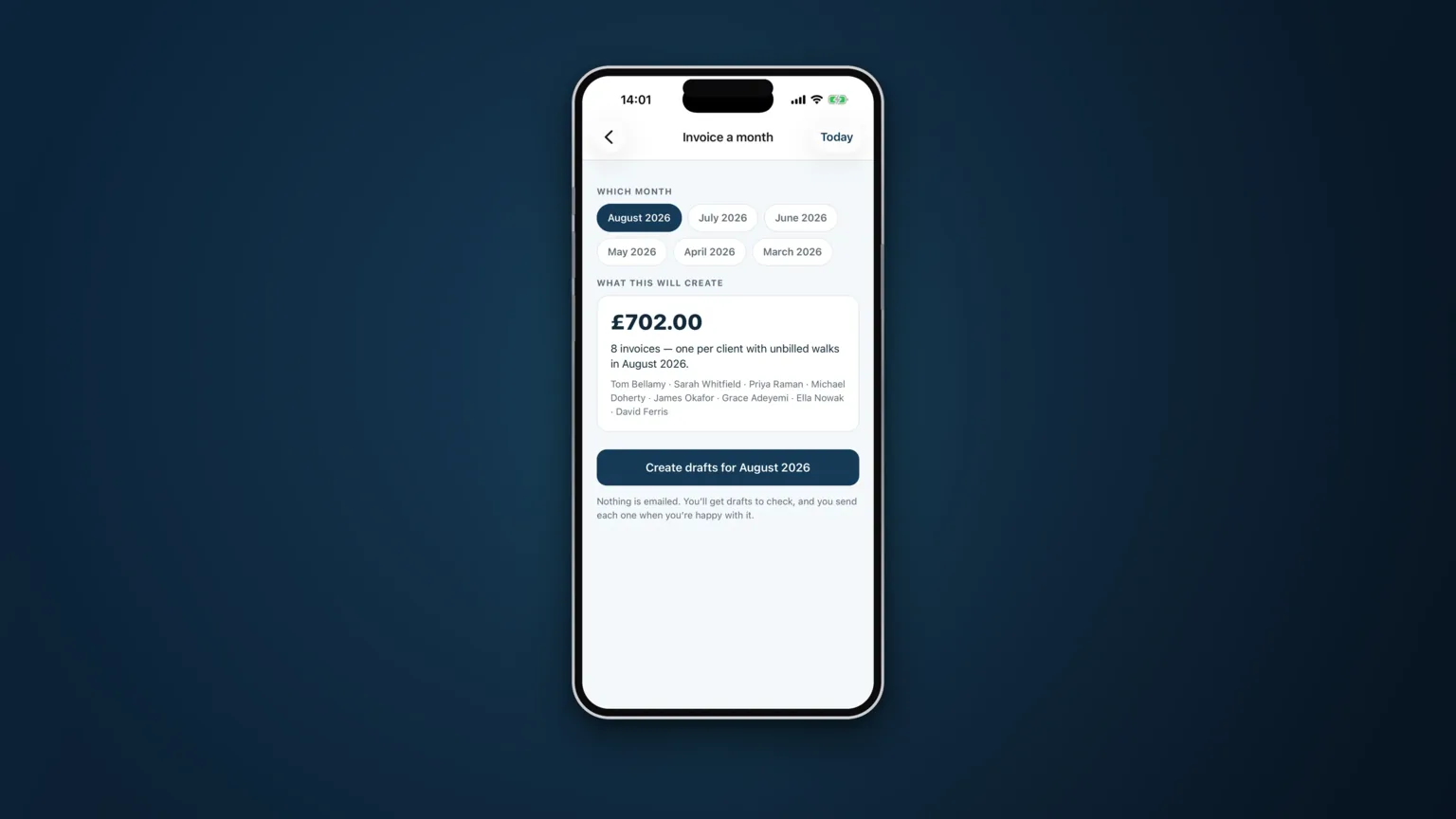
If the month has been recorded as it happened, month end is a review rather than a reconstruction. This is what the run looks like the first time you do it.
Start with the unbilled list
Every completed job that has not yet been invoiced, grouped by client, each with a total — and one figure for the whole lot. It is the first thing to look at, and not only because it is what you are about to bill.
Read it as a report on the month:
- A client with far fewer walks than usual is a conversation. Sometimes it is a holiday you knew about. Sometimes it is a client who has quietly started using someone else.
- A client with far more is worth a look too — an extra you fitted in and never mentioned a price for.
- A total that feels wrong usually means something was not recorded, and the time to find that out is now, not after the invoices have gone.
Add anything the app never saw
Not everything you sell passes through the schedule: a nail trim, a bag of food you picked up, a key cutting fee, a one-off you did as a favour and then decided to charge for. These go on as manual lines, on the same invoice as the walks, so the client gets one document.
Check the four usual suspects
- Cancellation fees. They should already be there, recorded when the cancellation happened, carried onto the invoice as billable work alongside the walks.
- Prices on anything unusual. Ad-hoc walks and bank-holiday work are where a wrong number hides.
- Who the invoice goes to. A household with two owners has two email addresses; the one who pays is not always the one who books.
- Anything you promised to waive. Easier to remove now than to credit later.
Run it
The bulk run invoices every client with unbilled work in one go. A few things happen automatically and are worth understanding:
Numbering. Your prefix, issued centrally and in order. Two devices cannot collide and nothing skips. A number can never be burnt on an empty invoice, and a numbered invoice cannot be emptied afterwards — which is what keeps the sequence defensible.
Currency. Stamped onto the invoice when it is issued, so changing yours in future never rewrites your history.
VAT. Applied and shown if you are registered, and absent entirely if you are not. There is no zero-VAT line to confuse anybody.
The PDF. Your logo, business name, address and footer, rendered on your phone — so the document the client receives is the one you previewed. It is emailed in your name with your address as reply-to, PDF attached.
After they have gone
Invoices now carry a state: outstanding, overdue, paid or void. As money arrives, record the payment however you were actually paid — cash, bank transfer, PayPal, card — with the date. That record is what makes the following month's chasing a two-minute job instead of a memory test.
Automated reminders are optional and off by default. If you turn them on: never before the due date, at most three, a week apart, then they stop. The tone and timing of chasing is covered in chasing a late-paying client.
The one thing that needs a connection
Almost everything in CorePaw Pro works offline. Creating an invoice does not, and this is deliberate: invoice numbers are issued centrally so that they cannot have gaps or duplicates, and that requires a connection. Do the run somewhere with signal.
What to fix for next month
If anything in the run was awkward, it almost always points upstream. Work missing from the list means jobs were not being completed in the app. A price you had to correct by hand means a service is missing from your list. Chasing an email address means a client record is incomplete. Fix those four things and the second month end takes minutes.
Related articles
Run the round, reassure the owner, get paid.
CorePaw Pro puts your schedule, clients, pet-care notes, GPS walks, owner reports and invoicing in one field-ready app — and keeps working when the signal disappears.
Full access for 30 days · No card · Unlimited clients and pets