How to invoice dog-walking clients at month end
Month end takes an evening for most walkers, and the evening is spent reconstructing what happened rather than billing it. The fix is upstream: if completed work is already recorded, invoicing is a review rather than an archaeology project.
By Tony Dalton · Updated
Ask a dog walker what they do on the last Sunday of the month and you will hear a version of the same story. Calendar open on one side, messages on the other, a spreadsheet in the middle, working backwards through four weeks trying to remember whether that Thursday in the rain was one walk or two.
It takes hours, it happens after a full working day, and it produces invoices that are slightly wrong in the client's favour — because when you cannot remember, you do not charge.
Month end is not an invoicing problem
The evening is long because the information does not exist yet. You are not billing; you are reconstructing. Every extra walk you fitted in, every cancellation fee you meant to apply, every one-off, has to be recovered from a calendar that only ever said what was planned.
Fix that and the invoice run collapses to minutes, because the only question left is "does this list look right?"
What has to be true before month end
- Completed work is recorded as completed. Not scheduled — done, with the date, the client, the service and the price it was sold at.
- Ad-hoc work is captured at the time. The extra Saturday walk, the emergency drop-in. If it is only in a text message, it will be missed.
- Cancellation fees are recorded when the cancellation happens, not remembered four weeks later.
- Prices come from your service list, so a walk carries its price without anybody looking it up.
That is the whole of it. Every hour of month-end pain traces back to one of those four not being true.
The run itself
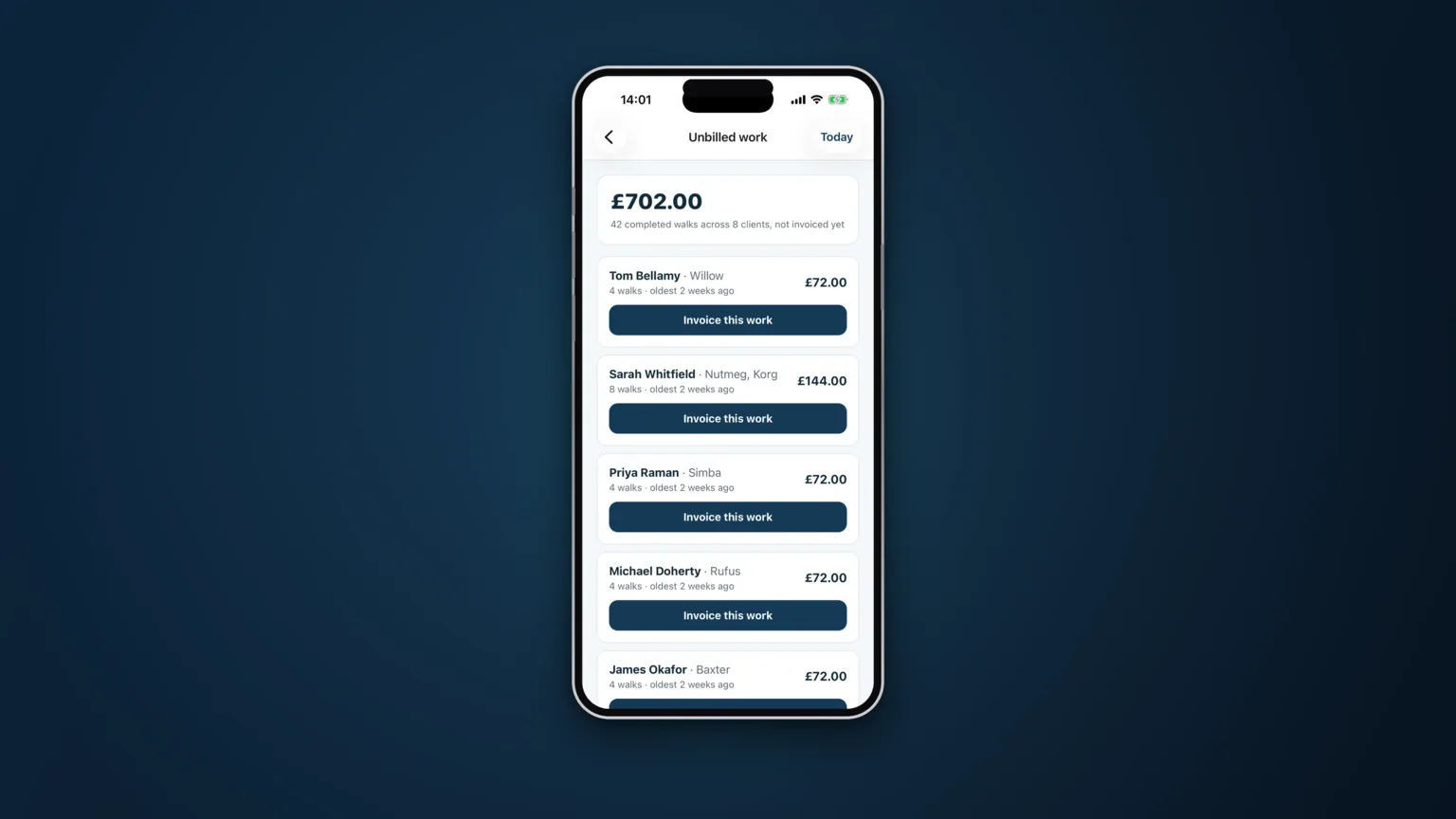
- Look at unbilled work as one list. Everything completed and not yet invoiced, grouped by client, with a total. Before you send anything, this list is also your best check on the month: a client with far less than usual is a conversation, not a rounding error.
- Add what the app never saw. A nail trim, a bag of food you bought, a key cutting fee. There should be a way to put a manual line on an invoice; a business is never entirely made of tracked jobs.
- Issue in one go. Every client with unbilled work, invoiced together, on the same date, with the same terms.
- Send it the same day. An invoice sitting in drafts is not owed to you yet.
Details that stop disputes
Sequential numbering, issued centrally. Your prefix, in order, no gaps and no duplicates — including when two phones are invoicing at once. Gaps in a numbering sequence are a question you do not want to answer later.
Itemised lines. Dates and services, not "dog walking — £280". Itemisation is what turns a query into a five-second answer, and it is what makes a client feel the number is a fact rather than an estimate.
Payment details on the document. Bank name, account name, sort code, account number, and any payment link you use. Every step between reading the invoice and paying it is a day of delay.
Terms that say a date. "Due within 14 days" is weaker than a date. People pay dates.
Pick your day and keep it
Whatever day you invoice on, keep it — the same date every month. Clients form habits around it, and the ones who pay on receipt keep paying on receipt. A business that invoices "around the end of the month, roughly" gets paid roughly.
How CorePaw Pro does month end
Completed jobs land on an unbilled list per client with a running total, so the month is visible before you bill it. A bulk run invoices every client with unbilled work in one go; manual invoices cover work the app never saw. Numbers are issued centrally with your prefix, so two devices cannot collide and nothing skips — and a number can never be burnt on an empty invoice. Invoices go out as branded PDFs, in your name, with your payment details, and then live as outstanding, overdue, paid or void with the date and method of every payment.
Related articles
Run the round, reassure the owner, get paid.
CorePaw Pro puts your schedule, clients, pet-care notes, GPS walks, owner reports and invoicing in one field-ready app — and keeps working when the signal disappears.
Full access for 30 days · No card · Unlimited clients and pets