Building an emergency information sheet for pet-care staff
The test of your record-keeping is not a normal Tuesday. It is the afternoon a dog is hit by a car, the owner is on a plane, and the person holding the lead is your newest employee. Here is what has to be reachable in under thirty seconds.
By Tony Dalton · Updated
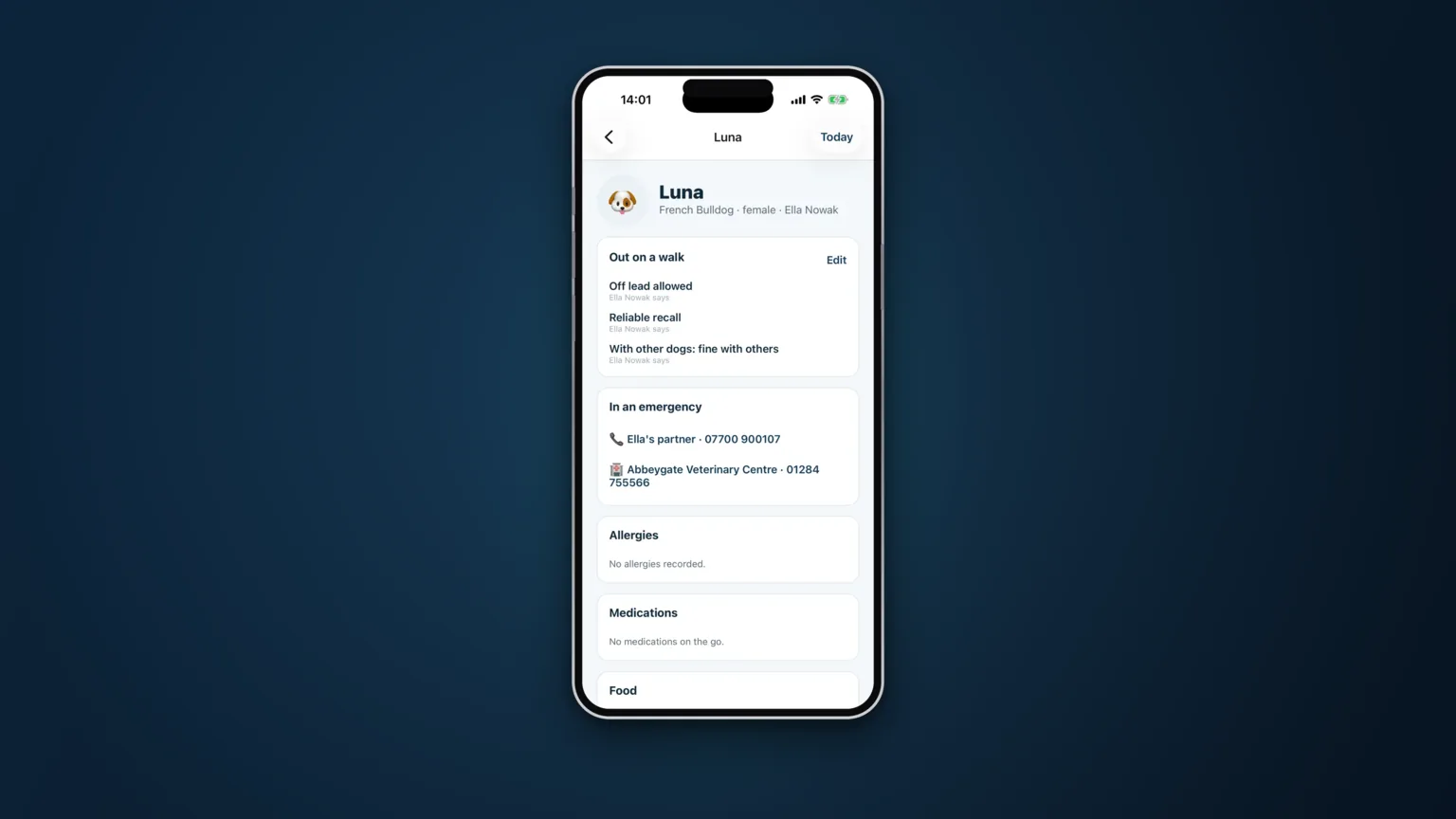
Everything about client records looks fine on a normal day. The day it is tested is the day something has gone badly wrong, the person on the scene is stressed, and the information they need is either one tap away or it may as well not exist.
Write the sheet for that day.
What has to be reachable in thirty seconds
- The vet practice name and phone number. Not the owner's home town, not "the one on the high street". The practice this animal is registered with, with a number that connects out of hours or a note saying which service covers it.
- The owner's mobile, and a second owner if there is one.
- An emergency contact who is not the owner. The person with a key, who lives nearby, who can meet somebody at a vet.
- The animal's known conditions, medications and allergies. A vet will ask. "I don't know" is an answer that costs time.
- The address you collected from, and how to get back in. Obvious until the person doing the job has been to eleven houses that day.
- Microchip number and insurer, where the owner has provided them.
That is the sheet. Everything else is useful, but it is not emergency information, and burying the six things above among forty fields is the same as not having them.
Never behind an extra tap
This is a design point and it matters more than it sounds. If the vet's number lives on a third screen inside a client record, somebody will be scrolling with one wet hand while a dog bleeds. Emergency contact and vet should be on the face of the record, visible at the moment you open it.
Decide in advance what staff may do
An information sheet without authority is only half useful. Your staff need to know, before it happens:
- Whether they can take an animal to a vet without reaching the owner first.
- Which vet they should use if the registered practice cannot see the animal.
- Up to what value of treatment they can authorise, and who pays it in the first instance.
- Who they ring first — you, or the owner.
- What gets written down afterwards, and when.
Agree the answers with the owner at sign-up, in writing, and put them where the person on the scene can read them. An owner who has already said "yes, take him and I'll settle up" has removed the worst decision from a bad afternoon.
Sensitive information still has an owner
There is a tension here worth naming. Emergency usefulness pushes towards showing everything to everyone; privacy pushes the other way. The resolution is not to pick a side but to separate the categories: the facts that make an emergency survivable should be available to whoever is doing the job, while the broader health record stays under the owner's control.
In CorePaw Pro the owner grants access per area. Where they have granted it, the walker sees it. Where they have not, the walker sees a locked card that says "not shared" — so nobody ever mistakes a withheld record for an empty one. Emergency contact and vet are never behind that gate, because they are needed at the worst possible moment.
Keep it current, or it is fiction
An emergency sheet decays faster than any other record you keep. Practices merge, medications change, the neighbour with the key moves away. Review it at least annually with every client, and make it trivially easy for the owner to correct — the version they update themselves is the version that stays true.
See how client and pet records are structured, or how access is enforced.
Related articles
Run the round, reassure the owner, get paid.
CorePaw Pro puts your schedule, clients, pet-care notes, GPS walks, owner reports and invoicing in one field-ready app — and keeps working when the signal disappears.
Full access for 30 days · No card · Unlimited clients and pets