What to include in a professional dog-walk report
A good walk report answers the questions the owner was going to ask anyway, states plainly what was not recorded, and never claims more than the walker actually observed. Here is what belongs in one — and the line a report must not cross.
By Tony Dalton · Updated
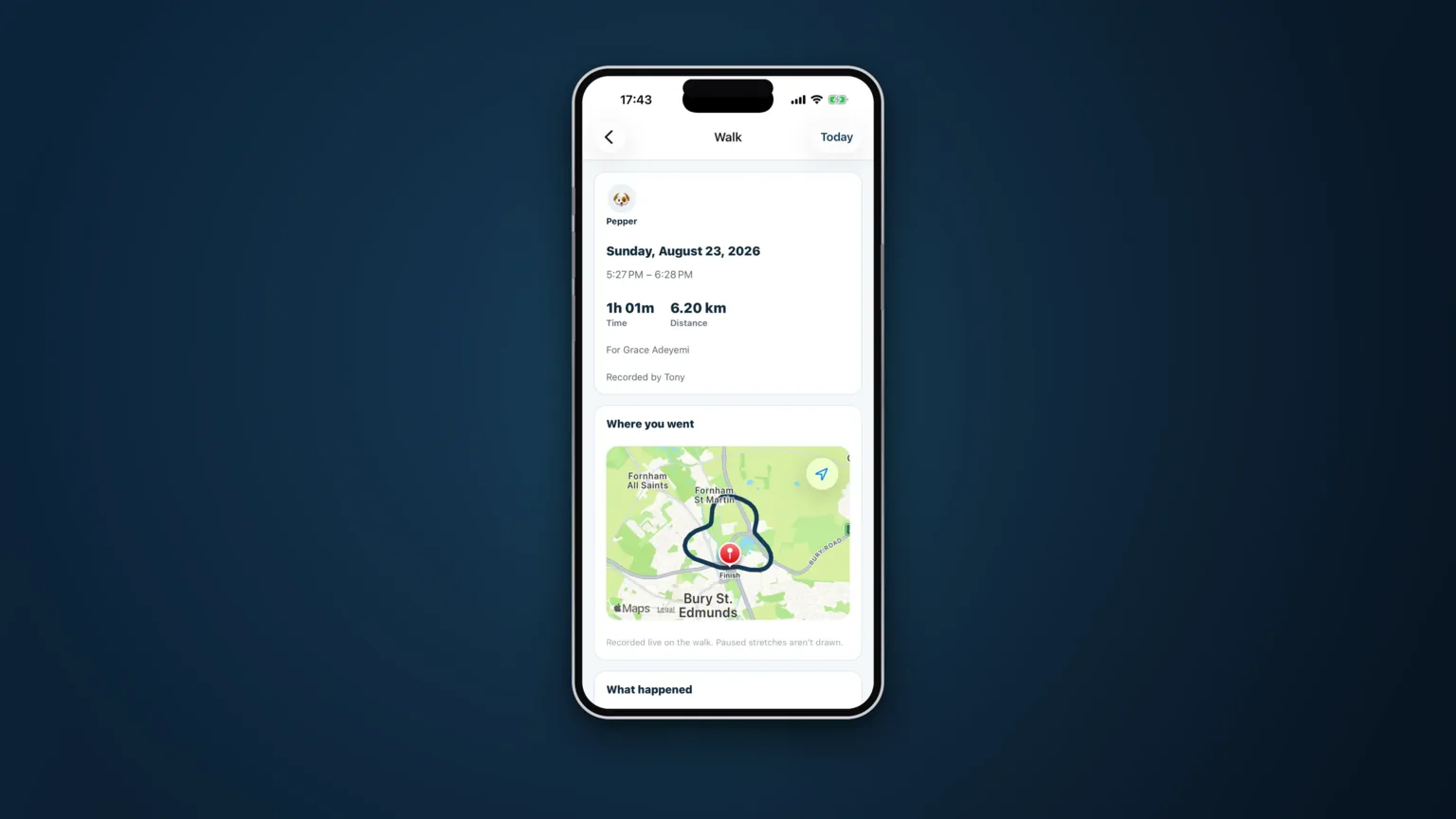
The walk report is the only part of your service most owners ever see. They are at work. They did not watch the walk. What arrives on their phone afterwards is the product, as far as their experience of it goes.
Which is why "all good! 🐾" undersells an hour of genuinely careful work, and why a report that overclaims is worse than one that says very little.
The five things owners actually want
1. That it happened, and when
Collection time, home time, how long the walk was, how far it went. This is the spine of the report. Everything else is detail hung off it.
2. Where you went
A route map does something a sentence cannot: it shows the walk was a walk. Not a lap of the block, not forty minutes in a van. Owners rarely study it closely. They look at it once, at the start of the relationship, and then relax.
3. What the dog did
Toileting, water, treats, whether they ate, whether medication was given, how they were with other dogs. These are the small facts that let an owner spot a change. One report saying a dog drank a lot is nothing. Four in a row is a phone call to the vet, and the owner is the person best placed to notice.
4. A photo
One decent photo, taken on the walk, does more for client retention than any amount of prose. It is also evidence, quietly: it is the dog, outdoors, on the day.
5. Who walked the dog
If you have staff, the report should name the person who did the job. Owners like knowing. It also means that when an owner has a question about Tuesday, you know who to ask.
The line a report must not cross
A report describes what was observed and recorded. It does not diagnose, speculate, or reassure beyond the evidence.
The difference is not pedantry. "No signs of illness" is a clinical claim — it says somebody looked for signs of illness and did not find any. Nobody examined the dog; they walked it. The honest version is "no health concerns were logged", which says exactly as much as is true: nothing was noticed and written down.
The same applies to the empty walk. If nothing was recorded on a job, the report should say so plainly rather than generating a paragraph of warm nothing. An owner who reads "a lovely relaxed walk" on a day when the walker logged nothing at all has been told something that was not observed.
Absences should be reported as absences. "No medication was given" and "no medication was recorded" are different sentences, and only one of them is safe to write when you are not sure.
Consistency beats effort
A short report that arrives after every single walk is worth far more than a beautiful one that arrives when the walker has time. Owners calibrate to the pattern. Once they expect a report at half past two, the day it does not arrive is the day they worry — so the discipline is to make the report cheap enough to produce that it always happens.
That is the argument for generating it from what you already logged on the walk, rather than writing it afterwards from memory. If the report is a by-product of doing the job, it happens every time. If it is a separate task at the end of a nine-hour day, it happens on the good days.
How CorePaw Pro does it
The report is built when you finish the walk, from the events you actually tapped during it: the route, the photos, the toileting, water, treats, medication and behaviour notes. The wording is constrained — it narrates counts and timestamps, never sees the photos, never speculates and never makes a health call. If nothing was logged, it says so. If the model is unavailable, the report still sends, written plainly from the same facts.
More on that in the Walk Diary, and on the delivery side — sent, failed, or no email on file — in visit reports.
Related articles
Run the round, reassure the owner, get paid.
CorePaw Pro puts your schedule, clients, pet-care notes, GPS walks, owner reports and invoicing in one field-ready app — and keeps working when the signal disappears.
Full access for 30 days · No card · Unlimited clients and pets